Best Cutters

Best Vinyl Cutters in 2026: Which Vinyl Cutting Machine Is Right For You?

Our expert-tested rankings of the 10 best vinyl cutting machines you can buy in 2026 - from affordable starter cutters to professional-grade flagships. Including the major releases from Cricut and Silhouette!

By Steph OsbornUpdated January 9, 2026

We may receive commissions on purchases made from our links. Learn more

Best Vinyl Cutters in 2026: Which Vinyl Cutting Machine Is Right For You?

We've tested most major vinyl cutting machines on the market - from compact beginner cutters to professional-grade workhorses - and we’ve ranked our top 10 picks for 2026. Whether you're making custom stickers in your craft room or running a small HTV business, this list should help you find the right machine for your budget and projects.

Each machine below is ranked by our overall rating, which factors in cut quality, versatility, ease of use, software, speed, and value for money. Click through to any review for the full breakdown.

Top PickCricut Maker 4

#1Top Pick

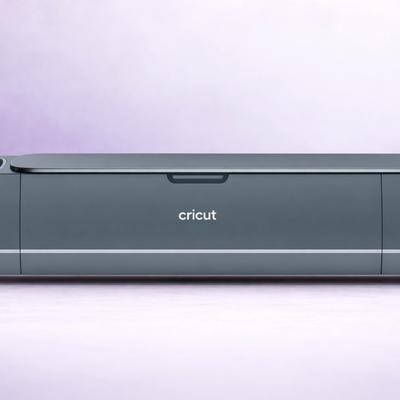
Cricut Maker 4

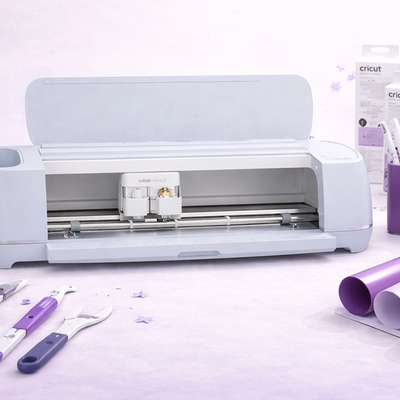
The Cricut Maker 4 is Cricut's flagship cutting machine - the most powerful and versatile cutter in their lineup. Its Adaptive Tool System delivers 4,000 gf of cutting force (10× the Explore line), powering through 300+ materials including leather, basswood, fabric, and metal. The most meaningful upgrade over the Maker 3 is speed: it's up to 2× faster on mat and matless cuts.

4.8
Exceptional
Materials 300+
Cutting Force 4,000 gf (4 kgf) via Adaptive Tool System
Connectivity Bluetooth + USB-C (cable included)
Software Cricut Design Space (free; desktop + mobile app) with optional Cricut Access subscription.
Check Price on Amazon →Full Review
$390.51
Amazon price as of 2h ago

What We Love

  • Widest material range of any home cutter - 300+ materials, including metal!
  • Unbacked fabric cutting via the excellent Rotary Blade
  • Up to 2× faster than Maker 3 on mat
  • Full backward compatibility with existing Maker tools
  • The USB-C upgrade is welcome

Watch Out For

  • A bump in speed - but not hugely different to Maker 3
  • Cameo 5 matches (and exceeds) the Maker 4 in cutting force
  • Large footprint - needs dedicated desk space!
  • Smart Materials lock-in for matless cutting
  • Knife Blade projects are extremely slow
Runner UpSilhouette Cameo 5

#2Runner Up

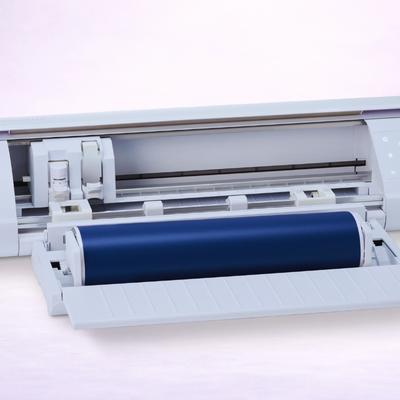
Silhouette Cameo 5

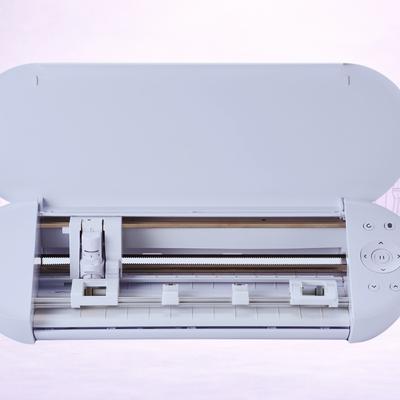
The Silhouette Cameo 5 is Silhouette's flagship 12-inch cutting machine, delivering 5,000 gf of cutting force and speeds up to 400mm/s - making it 133% faster with 143% more force than the Cameo 4. Its dual-carriage system supports a vast tool ecosystem including the Rotary Blade for unbacked fabric cutting, while matless cutting works with any standard lined material - no "smart" materials required.

4.7
Exceptional
Materials 100+
Cutting Force Tool Holder 1: 300 gf (±20 gf); Tool Holder 2: 5,000 gf (5 kgf)
Connectivity USB 2.0 (Full-speed) + Bluetooth
Software Silhouette Studio (free basic edition; Designer Edition $49.99; Designer Edition Plus $74.99; Business Edition $99.99). Also: Silhouette Go (mobile app), Silhouette Web (browser-based, optional).
Check Price on Amazon →Full Review
$269.99$289.99Save $20.00
Amazon price as of 2h ago

What We Love

  • 5,000 gf cutting force in Tool Holder 2 - highest in class
  • 400mm/s cutting speed - 133% faster than Cameo 4
  • No material lock-in for matless cutting
  • Subscription-free Silhouette Studio with offline capability
  • Rotary Blade for unbacked fabric cutting

Watch Out For

  • Pinch roller durability issues on original Cameo 5
  • Silhouette Studio has a big learning curve
  • Dual carriage cannot operate simultaneously
  • Smaller community and content library than Cricut
Best ValueCricut Explore 5

#3Best Value

Cricut Explore 5

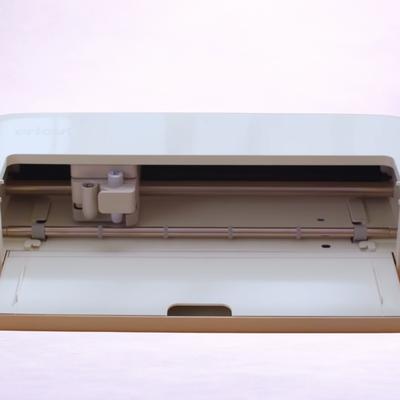
The Cricut Explore 5 is the newest generation of Cricut's best-selling Explore line, completely redesigned to be 30% more compact while maintaining full 12-inch cutting performance. It introduces a brand new integrated blade system, snap-in pen holder, and simplified interface alongside Design Space's new AI-powered design generation.

4.5
Exceptional
Materials 100+
Cutting Force 400 gf
Connectivity Bluetooth + USB-C
Software Cricut Design Space (free; desktop + mobile app) with optional Cricut Access subscription. New: Create AI feature for paid subscribers.
Check Price on Amazon →Full Review
$249.00
Amazon price as of 2h ago

What We Love

  • 30% more compact design - smallest full-size Cricut ever
  • The base model is starting from just $199 (bundles add to this fast)
  • Deep Cutting Tool extends material range
  • Integrated blade system is safer and simpler
  • Design Space Create AI and Guided Flows

Watch Out For

  • Tool swapping required for cut-and-score projects
  • And the older Scoring Stylus is not compatible
  • Same Smart Materials lock-in for matless cutting
  • 400 gf cutting force ceiling - can't compete with Maker/Cameo
Cricut Maker 3

#4Cricut

Cricut Maker 3

The Cricut Maker 3 is Cricut's previous-generation flagship - and it's identical to the Maker 4 in every capability except speed and USB type. It delivers 4,000 gf via the Adaptive Tool System, supports 300+ materials and 13 tools including the Rotary Blade for unbacked fabric. It was the first Maker with Smart Materials matless cutting up to 12 feet.

4.5
Exceptional
Materials 300+
Cutting Force 4kg (4000 gf)
Connectivity Bluetooth, USB
Software Cricut Design Space (free; desktop + mobile app) with optional Cricut Access subscription
Check Price on Amazon →Full Review
$411.00
Amazon price as of 2h ago

What We Love

  • Identical capabilities to the Maker 4 at 40-60% less on clearance
  • Excellent Adaptive Tool System and Rotary Blade
  • Smart Materials matless cutting up to 12 feet - same as Maker 4
  • Full backward and forward tool compatibility
  • Enhanced Print & Cut sensors works on white AND colored papers

Watch Out For

  • On-mat speed is half the Maker 4's - the only meaningful performance gap
  • Being phased out so may see reduced support over time
  • Same bulky footprint as newer models
  • Standard USB, not USB-C
  • Smart Materials lock-in and internet dependency (par for Cricut)
New ReleaseCricut Joy 2

#5New Release

Cricut Joy 2

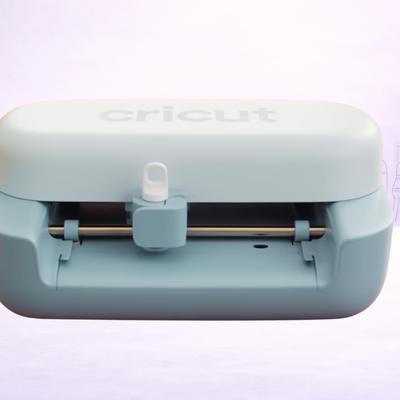
The Cricut Joy 2 is the tiniest Cricut yet - 30% smaller than the original Joy at just 9.1 inches wide and 2 lbs. Its headline upgrades are Print Then Cut capability (new to the Joy line) for full-color stickers, and a scoring tool for cards and paper projects. It cuts 75+ materials and works with Smart Materials for matless cuts up to 4 feet.

4.4
Excellent
Materials 75+
Cutting Force Not disclosed - lower than the Explore's 400 gf.
Connectivity Bluetooth only - no USB cable connection
Software Cricut Design Space (free; desktop + mobile app) with optional Cricut Access subscription. New: Create AI (paid subscribers only)
Check Price on Amazon →
$139.00
Amazon price as of 2h ago

What We Love

  • Print Then Cut - finally available on a Joy machine!
  • Scoring capability unlocks all new cards and paper projects
  • Smallest and lightest machine we've tested so far
  • Most affordable Cricut ever
  • 75+ materials - 50% more than original Joy and Joy Xtra

Watch Out For

  • Only 4.5-inch cutting width - very small project size
  • There are no physical buttons... at all.
  • 4-foot matless cutting is short compared to Explore/Cameo
  • Smart Materials lock-in and internet dependency
Best BudgetSilhouette Portrait 4

#6Best Budget

Silhouette Portrait 4

The Silhouette Portrait 4 packs Cameo 5-level technology into a compact 4-pound package. Built on Silhouette New Architecture with Intelligent Path Technology, it delivers quieter, more precise cutting while adding power tool compatibility (Heat Pen for foil stamping), optional Electrostatic Mat support, auto cross-cutting, and matless cutting up to 16 feet.

4.4
Excellent
Materials 100+
Cutting Force 210 gf (Tool Holder 1 only)
Connectivity USB 2.0 (Full-speed) + Bluetooth
Software Silhouette Studio (free basic edition; Designer Edition for SVG import). Also: Silhouette Go (mobile), Silhouette Web (browser-based).
Check Price on Amazon →Full Review
$179.00$199.99Save $20.99
Amazon price as of 2h ago

What We Love

  • Elements of Cameo 5-level technology at Portrait pricing
  • Matless cutting up to 16 feet with any standard backed material
  • Ultra-portable at 4 lbs with subscription-free offline software
  • Nice Heat Pen compatibility for foil stamping
  • Improved Print & Cut and 5-inch material support

Watch Out For

  • Only 210 gf cutting force - far below the Cameo 5
  • No Rotary Blade, no 3mm Kraft Blade - single carriage only
  • SVG import still requires a $49.99 software upgrade
  • 2mm material clearance - less than Cameo 5's 3mm
  • Fabric cutting is limited - requires backing/stabilizer
Brother ScanNCut SDX125

#7Brother

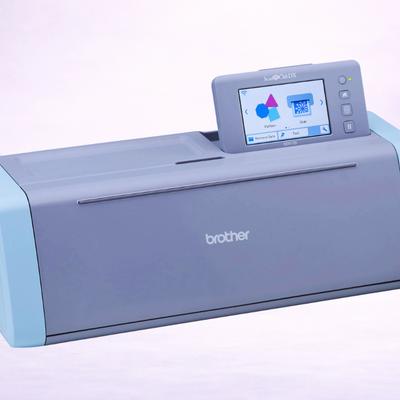
Brother ScanNCut SDX125

The Brother ScanNCut SDX125 is the only home cutting machine with a built-in 600 DPI scanner, which means you can scan drawings, photos, and printed designs directly into cut files - no computer required. Its Auto Blade sensor technology automatically detects material thickness up to 3mm, cutting paper, vinyl, fabric, foam, balsa wood and much more.

4.3
Excellent
Materials 100+ (est)
Cutting Force Not disclosed - but can cut 3mm-thick.
Connectivity Wi-Fi, USB
Software Brother CanvasWorkspace (free; web-based + PC/Mac desktop app + mobile app)
Check Price on Amazon →
$449.99
Amazon price as of 2h ago

What We Love

  • Built-in scanner - no computer required for basic projects
  • Can scan and cut printed images directly
  • Touchscreen for on-device editing
  • True standalone operation - no computer, no internet, no subscription
  • 3mm material clearance - thicker than Cricut Explore or Silhouette

Watch Out For

  • Smaller community and fewer resources
  • Software is less polished than Cricut or Silhouette
  • No matless cutting without expensive accessory
  • WiFi connectivity can be unreliable
Cricut Joy Xtra

#8Cricut

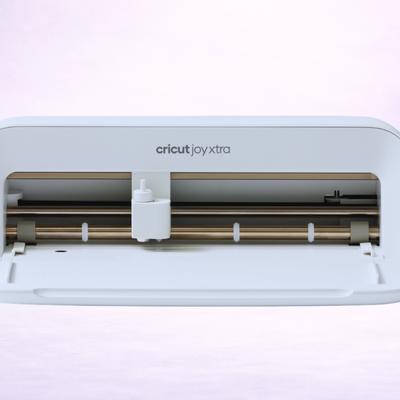
Cricut Joy Xtra

The Cricut Joy Xtra is Cricut's mid-size cutting machine - compact enough for a kitchen counter, capable enough for full-color stickers, T-shirts, cards, and vinyl decals. Its standout feature is Print Then Cut capability via a built-in sensor, enabling professional sticker production from a home inkjet printer. At just 6 lbs and 12.5 inches wide, it works with 50+ materials. Perfect for sticker sellers & casual crafters!

4.3
Excellent
Materials 50+
Cutting Force Not disclosed - less than the Explore's 400 gf
Connectivity Bluetooth only - no USB cable connection
Software Cricut Design Space (free; desktop + mobile app) with optional Cricut Access subscription
Check Price on Amazon →Full Review
$199MSRP — check Amazon for current price

What We Love

  • Ultra-compact design - it fits literally anywhere
  • Print Then Cut for full-color stickers from a home printer
  • Accepts standard US letter and A4 sized materials
  • Excellent value for sticker makers
  • Backward compatible with all Cricut Joy tools

Watch Out For

  • Only 8.5-inch cutting width - can't handle 12-inch materials
  • Less materials than Explore and no scoring or deep cutting
  • Slow cutting speed - 5.65 in/s vs Explore's 10-14 IPS
  • Bluetooth only - no wired USB connection
  • Questionable value vs. new Explore 5 base model
Silhouette Cameo 4

#9Silhouette

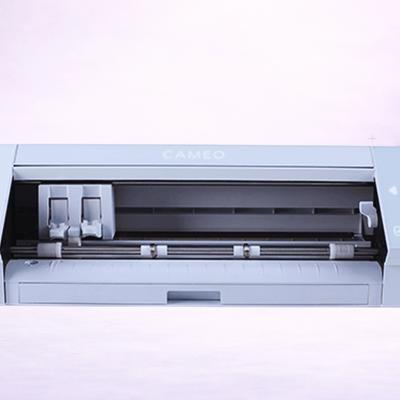
Silhouette Cameo 4

The Silhouette Cameo 4 was the machine that transformed the Cameo line from a capable vinyl cutter into a true all-materials crafting powerhouse. Its dual-motor system delivers 5,000 gf of cutting force in Carriage 2 - truly best in class. The introduction of the Rotary Blade for unbacked fabric, built-in roll feeder with cross-cutter, and 3mm material clearance made it Silhouette's answer to the Cricut Maker.

4.3
Excellent
Materials 100+
Cutting Force Tool Holder 1 (Carriage 1): 210 gf; Tool Holder 2 (Carriage 2): 5,000 gf (5 kgf)
Connectivity USB 2.0 + Bluetooth
Software Silhouette Studio (free basic edition; Designer Edition $49.99; Designer Edition Plus $74.99; Business Edition $99.99). Also: Silhouette Go (mobile app).
Check Price on Amazon →Full Review
$299MSRP — check Amazon for current price

What We Love

  • 5,000 gf cutting force in Carriage 2 - a 24× leap from the Cameo 3
  • First Silhouette with Rotary Blade for unbacked fabric
  • Built-in roll feeder and cross-cutter for matless cutting up to 10 feet
  • No-subscription software with full offline capability
  • Excellent value at current discounted prices

Watch Out For

  • Now superseded by the Cameo 5 - significantly slower
  • Tool Holder 1 force lower than Cameo 5
  • Fewer online tutorials than Cricut
  • No Electrostatic Mat support, no IPT, no power tools
  • SVG import requires paid software upgrade
Siser Juliet

#10Other

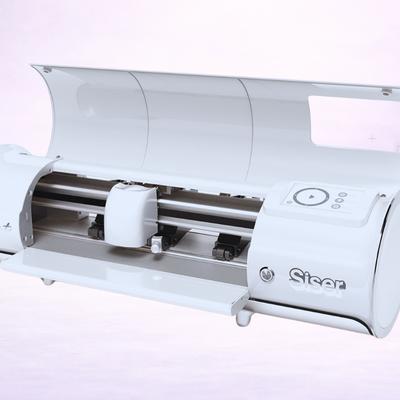
Siser Juliet

The Siser Juliet is the first cutting machine from the world's leading HTV manufacturer, bridging the gap between craft cutters and professional plotters. Its 800 gf cutting force and class-leading 600 mm/s speed deliver fast, precise cuts on thin materials - with pre-loaded cut settings for every Siser material. Comes with a built-in registration camera, WiFi connectivity, matless cutting up to 15 feet, and free Leonardo Design Studio software.

4.2
Excellent
Materials 50+ (est)
Cutting Force 800 gf
Connectivity WiFi + USB cable
Software Leonardo Design Studio (free with purchase; desktop app for Windows and Mac). Optional Leonardo PRO subscription
Check Price on Amazon →Full Review
$395.00$499.99Save $104.99
Amazon price as of 2h ago

What We Love

  • Class-leading 600 mm/s cutting speed - fastest we've tested
  • Pre-loaded cut settings for all Siser materials (easy for beginners)
  • 13.5-inch matless cutting width
  • WiFi connectivity with no subscription
  • Built-in registration camera for Print & Cut

Watch Out For

  • Only 1mm material clearance severely limits material versatility
  • Manual blade adjustment - doh! - no auto-blade technology
  • No mobile app, no tablet support
  • Very small community and ecosystem
  • 800 gf cutting force limits it to lighter materials only

The Market in 2026

Cricut vs Silhouette: Two Ecosystems, One Decision!

They are not the only brands - but they are, by far, the most famous. The vinyl cutter market comes down to two brands for most crafters. Both make excellent machines - but they take fundamentally different approaches to software, materials, and pricing. Understanding these differences is the fastest way to find the right machine for you.

C

The Cricut Ecosystem

  • Beginner-friendly - Design Space is simpler to learn and walks you through projects step by step
  • Massive community — 8M+ members, thousands of YouTube tutorials, and 1.5M+ ready-made designs
  • Free SVG import — Upload your own designs or Etsy purchases (at no extra cost)
  • Smart Materials lock-in — Matless cutting requires branded Cricut materials (which inevitably cost more)
  • Cloud-dependent — You have to be online to make full use of Design Space
Key machines: Maker 4 (power users), Explore 5 (best value), Joy 2 (compact)
S

The Silhouette Ecosystem

  • No subscription required — Silhouette Studio is free, works offline, and never nags you to upgrade
  • Open materials — Matless cutting works with any brand of lined vinyl or HTV, not just Silhouette's own
  • Raw cutting power — The Cameo 5 delivers 5,000 gf, the highest force in any home cutter
  • SVG import costs extra — The free Studio edition doesn't import SVGs; Designer Edition is a paid upgrade
  • Steeper learning curve — More powerful software, but less hand-holding for beginners
Key machines: Cameo 5 (flagship), Portrait 4 (compact), Cameo 5 Plus (15" wide)

Find Your Match

Which Cutter Is Right for You?

OK, let's forget the spec sheets for a moment. The best cutter is the one that fits how you actually craft. Here are the four most common starting points:

What Actually Matters When Choosing a Cutter

If you're not sure where to start, these are the five factors that make the biggest real-world difference between machines.

01

Cutting Force

Measured in grams-force (gf), this effectively controls what materials your machine can handle. Explore-class machines run around 400 gf — plenty for vinyl, cardstock, and HTV. Maker-class and Cameo machines deliver 4,000–5,000 gf, which opens up thick leather, balsa wood, and heavy chipboard. If you only cut vinyl and paper, you don't need to pay for the extra force.

02

Software & Subscriptions

Cricut's Design Space is free to use, imports SVGs for free, but works best online and relentlessly pushes you toward a paid Cricut Access subscription for the full image library. Silhouette Studio is free, works fully offline, but lit ocks SVG import behind a paid Designer Edition upgrade. Both approaches have trade-offs - it comes down to whether you prefer a subscription model or a one-time cost.

03

Matless Cutting & Materials

Both Cricut and Silhouette support matless cutting for long rolls (banners, continuous decals). The key difference is that Cricut requires branded Smart Materials, effectively controlling the ecosystem Apple-style - while Silhouette works with any standard lined material from any brand. If you buy vinyl in bulk from third-party suppliers, Silhouette will likely save you money on every roll.

04

Tool Ecosystem

The Cricut Maker line has the widest tool selection - Rotary Blade for fabric, Knife Blade for thick materials, QuickSwap for engraving, debossing, and perforation. Silhouette's Cameo 5 counters with excellent power tools like the Heat Pen and Embossing Tools, plus the unique Electrostatic Mat for ultra-thin materials. Our advice? Think about what you'll actually make... not just the total tool count!

05

Size & Workspace

Most cutting machines live on your desk — so size definitely matters! The 2026 generation is notably more compact: in fact, the Explore 5 is 30% smaller than the Explore 4 (part of a design overhaul), and budget picks like the Portrait 4 and Joy 2 fit in a drawer. If your craft space is a shared dining table or a small corner, a compact machine is obviously uniquely attractive.

Frequently Asked Questions

Quick answers to the questions we hear most from readers choosing their first (or next) vinyl cutter.

No. Both Cricut Design Space and Silhouette Studio are free to use without a subscription. Cricut Access (a monthly subscription) unlocks a larger image and font library but isn't required - you can actually upload your own SVGs and design from scratch for free. Silhouette Studio's free edition handles most tasks, but the all-important SVG import requires a one-time paid Designer Edition upgrade.

Cutting force and tool compatibility. Explore machines (400 gf) handle vinyl, HTV, paper, and cardstock beautifully. Maker machines (4,000 gf) add the ability to cut thick materials like leather, wood, and chipboard... plus they support the Rotary Blade for unbacked fabric (a major plus). If you only work with vinyl and paper, an Explore is all you need. If you want fabric cutting or thicker materials, the Maker steps up.

Yes - on a cutting mat. Cricut machines cut any brand of vinyl, HTV, or cardstock when placed on a mat. The limitation comes with matless cutting: for that, you need Cricut-branded Smart Materials. Silhouette machines can do matless cutting with any standard lined material from any brand.

A question we get a lot! Any machine on this list can cut HTV (heat transfer vinyl) for T-shirts. For occasional personal use, the Cricut Explore 5 or Silhouette Portrait 4 are great budget picks. For a small business cutting HTV in volume, the Silhouette Cameo 5's 400mm/s speed, matless cutting with any HTV brand, and One-Touch Repeat button make batch production much faster.

Not necessarily. It all depends on your needs. A budget-friendly Cricut Explore 5 and a premium Cricut Maker 4 cut vinyl and HTV with identical quality (honestly!) - the Maker's extra force only matters for thick or tough materials. Buy based on what you'll actually cut, not the spec sheet. Many crafters who only work with vinyl are perfectly happy with an Explore-class machine and never need Maker-level power.

It varies by material and usage, but a typical fine-point blade lasts 3-6 months of regular use. You'll know it's time to replace when cuts start looking ragged or the blade drags rather than slicing cleanly. Replacement blades are inexpensive and widely available. Always start with a test cut after changing blades.

Once again, it depends on the machine. Cricut Maker machines and the Silhouette Cameo 5 both support a Rotary Blade that cuts unbacked cotton, felt, leather, and other fabrics without any stabilizer. Explore-class machines can only cut bonded or stabilized fabric (iron-on backing). If quilting or sewing projects are important to you, you need a Maker or Cameo.

Any machine with Print Then Cut capability - which includes the Cricut Explore 5, Maker 4, and Silhouette Cameo 5. You design your stickers, print them on an inkjet printer using printable vinyl or sticker paper, and the machine cuts around each design with precision. The Cricut Explore 5 is the most affordable full-size option with this feature.

Get the best vinyl cutting tips & deals

Join 5,000+ crafters who get our weekly newsletter with expert tips, project ideas, and exclusive deals.

No spam, ever. Unsubscribe anytime.