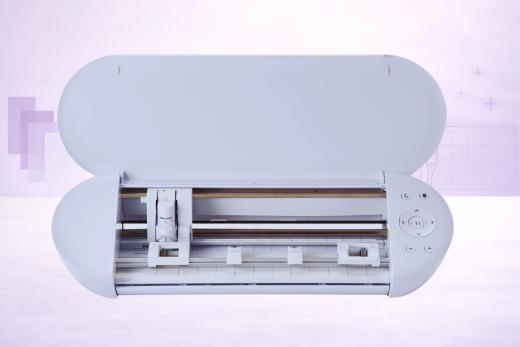
Here's something that surprised us: the Silhouette Portrait 4 - a 4-pound compact cutter - runs the same core tech as the flagship Cameo 5.
It’s rocking the same Silhouette New Architecture. Same Intelligent Path Technology. Same Electrostatic Mat support. Same AutoBlade 2.
Even the same Heat Pen compatibility…
But before you rush to trade in the Cameo for this fancy little cutter, keep in mind: there are some big trade-offs.
And the biggest… is cutting force.
The Portrait 4 has a single tool holder with 210 gf of cutting force, which is precious little compared to the Cameo 5's dual carriage with 5,000 gf. It also has no Rotary Blade, no 3mm Kraft Blade, and thus no scope for tackling thick materials.
(The 8.5-inch cutting width also rules out full-size 12-inch projects.)
But for vinyl, HTV, stickers, and thin cardstock - which is what most hobbyist crafters cut 90% of the time - the Portrait 4 handles the job with a precision that belies its size and price.
It's become the machine we grab when we want to knock out a quick vinyl decal or sticker sheet without setting up a full cutting station.
What's New vs the Portrait 3
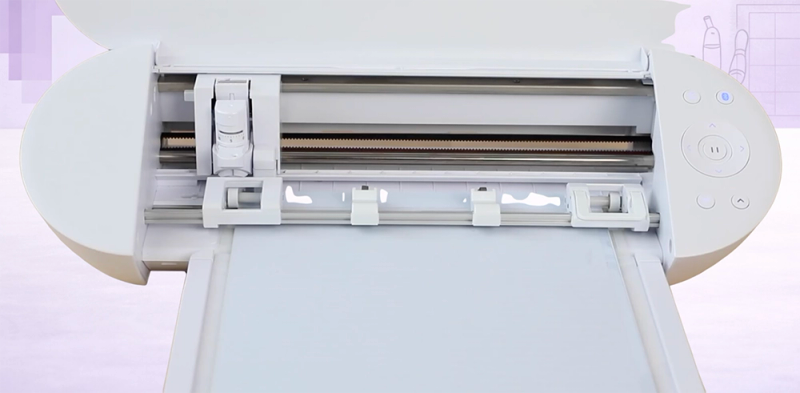
If you're coming from a Portrait 3… the upgrade list is pretty substantial.
This is definitely NOT just a fresh new lick of plastic.
Because while the cutting force and material clearance are the same (210 gf and 2mm)… virtually everything else has improved in some way:
- Silhouette New Architecture (SNA) - new belt-driven internals which are quieter and produce smoother precise cuts
- Intelligent Path Technology (IPT) - this optimizes cutting order to keep counter-pressure on materials, reducing tears on thin media
- Matless cutting up to 16 feet (up from 10 ft) with any standard backed material via Roll Feeder
- Heat Pen compatibility - the Portrait 3 had zero power tool support; the Portrait 4 has a power terminal for heat-based foil stamping (nice!)
- Electrostatic Mat support - it holds delicate materials flat using static rather than adhesive
- Auto cross-cutting - trims completed projects from roll material automatically
- Improved Print & Cut registration - handles lustrous and metallic materials that would have outright confused the Portrait 3's sensors
- 5-inch material support - the adjustable pinch rollers accept narrower materials for small projects
The Portrait 3 was already a solid compact cutter.
The Portrait 4 is a meaningfully better machine at a lower price - and that's obviously the kind of generational upgrade we like to see here at VCM!
Cameo 5 Tech in a Compact Body
We covered SNA and IPT in depth in our Cameo 5 review, so we'll keep this somewhat brief.
All you need to know: SNA replaces the old gear-driven system with a belt-driven one that's quieter (50 dB territory, about the loudness of a conversation) and it’s also more precise. IPT rearranges your cut order to maintain pressure on the material throughout the job, which means fewer tears on thin vinyl and cleaner results on more complex designs.
Both technologies translate directly to the Portrait 4.
In our testing, the difference from the Portrait 3 is audible - as in, the machine is noticeably quieter - and the cut quality on detailed designs like intricate mandala stickers is improved.
While IPT does add a small amount of time to complex layouts, the quality trade-off is worth it if you are dealing with stuff beyond basic shapes.
What We Love
Price-to-Tech Ratio Is Outstanding
We keep coming back to this: $159 (RRP) for a machine with SNA, IPT, Electrostatic Mat support, Heat Pen compatibility, and Bluetooth + USB.
That’s a pretty impressive package from Silhouette.
In this case, the competition from Cricut is working in our favor.
The Cricut Joy Xtra costs $199 and doesn't offer any equivalent to IPT, Electrostatic Mat, or a power tool terminal. The Portrait 4 gives you more technology for slightly less.
For vinyl and sticker crafters on a budget, this is the machine to beat - UNLESS you prefer the general Cricut ecosystem - which, we know, many of you do!
It’s Light and Portable
Weighing just 4 lbs, you can pick this up with one hand and toss it in a bag.
We've taken the Portrait 4 to craft fairs, friend's houses, and a classroom workshop - and every time, the reaction is the same: "that's a cutting machine?" It's smaller than a large laptop bag and doesn't need internet to run, since Silhouette Studio works fully offline.
For crafters who don't have a permanent setup, this portability is one of the most compelling reasons to choose it over a rival machine.
16 Feet of Matless Cutting With Any Vinyl
The Roll Feeder (sold separately) lets you feed standard vinyl and HTV rolls through the machine for matless cuts up to 16 feet long.
That's longer than what the Cricut Explore machines manage with Smart Materials (12 ft), and massively more than the Joy Xtra's 4 feet.
Crucially, it works with any standard backed material. Meaning… no proprietary rolls required.
You can use Oracal, Siser, or whatever budget vinyl you prefer.
Heat Pen for Foil Work
If we go back a year, The Portrait 3 had no power tool capability at all.
The Portrait 4's power terminal enables the Heat Pen, which applies foil using heat transfer rather than pressure.
The result is brighter, more consistent foil coverage on cardstock and faux leather - noticeably cleaner than pressure-based foil tools.
Yes, it's a niche feature, but for crafters who make foiled invitations, journals, or gift tags, it's certainly a welcome addition.
Print & Cut That Handles Tricky Materials
The upgraded registration scanning on the Portrait 4 reads things like metallic sticker sheets that would go undetected by the old Portrait 3's sensor.
For sticker makers using holographic or glossy paper, this is another nice improvement,
Standard Print & Cut on matte materials works as expected… precise and reliable.
What Could Be Improved?
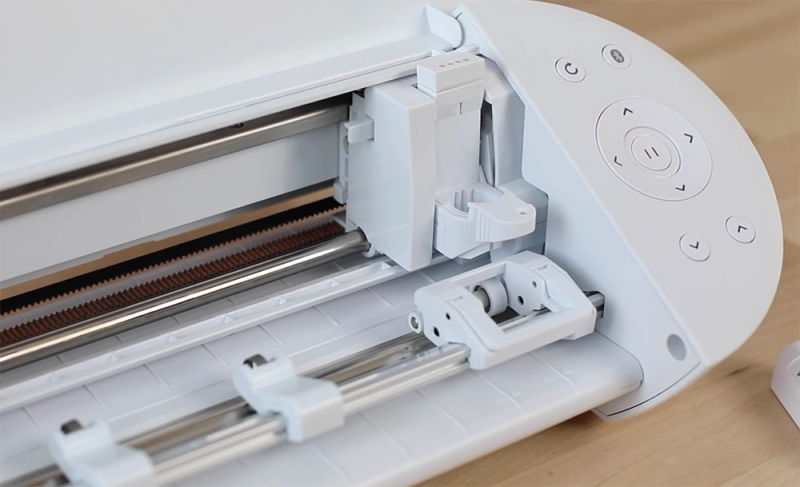
The Portrait 4 does have some limitations, and they are fairly predictable for a compact machine, but worth spelling out clearly so you know exactly what you're getting…
210 gf is the ceiling
That's the same cutting force as the five-year-old Portrait 3 and roughly half what the Cricut Explore machines deliver.
For vinyl, HTV, paper, thin cardstock, and sticker material, it's plenty enough.
Beyond that? For anything thicker… dense cardstock, chipboard, craft foam, leather… you'll hit the machine's limits and things start to go downhill. There's no Carriage 2 and no path to upgrade the force. If you need to cut thick materials even occasionally, the Cameo 5 is the necessary step up.
No Rotary Blade, no fabric
The single tool holder means no Rotary Blade, no 3mm Kraft Blade, no Punch Tool, and no Embossing Tool.
We’ve seen that fabric cutting is technically possible with backed/stabilized thin fabric, but it's not what this machine is designed for, and the results just aren’t good enough to justify an investment for this use case.
Quilters and sewists: look elsewhere!
SVG import still costs $49.99
Yes…
The same Silhouette Studio limitation that affects every Silhouette machine.
The free basic edition handles Silhouette's proprietary .studio3 format and image tracing, but if you want to import SVG files, you'll need the Designer Edition upgrade.
Cricut Design Space imports SVGs for free. Despite the lower price tag, if we add $50 for SVG support, the total cost of ownership starts creeping toward Joy Xtra territory.
Budget Tip
2mm material clearance
Not awful, but a step down from the Cameo.
The Cameo 5 has bumped clearance to 3mm; the Portrait 4 stayed at 2mm.
This physically limits what can pass through the machine.
So materials like thick felt, foam sheets, and chipboard may not fit, regardless of whether the blade could actually handle them.
Portrait 4 vs Cricut Joy Xtra
There are plenty of similarities here, and that’s to be expected when these machines are in direct competition.
Same 8.5-inch cutting width.
Same target audience.
Different ecosystems, different trade-offs.
This is the comparison that matters if you're shopping for a compact machine in 2026:
The Portrait 4 usually wins on price (barring any crazy promos), material range, matless cut length (16 ft vs 4 ft - that's 4× longer), technology (IPT, Electrostatic Mat, SNA), USB backup, weight, and software independence.
The Joy Xtra wins on physical compactness (5 inches shorter, though heavier), free SVG import, and Cricut's larger community and tutorial ecosystem.
Our recommendation: If you value pure cutting capability and open materials, the Portrait 4 is probably the better buy. But it’s close. For crafters who are already invested in Cricut's ecosystem and want the simplest possible experience with free SVG import, the Joy Xtra still makes sense… but you're paying more for less machine.
When Should You Get a Cameo 5 Instead?
The Portrait 4 shares the Cameo 5's technology, but not its power.
Here's when the Cameo 5 is worth the extra dip into the bank account:
- You need to cut materials wider than 8.5 inches (the Cameo 5 cuts 12 inches)
- You want the Rotary Blade for unbacked fabric cutting
- You need 5,000 gf of force for thick materials
- You want the 3mm Kraft Blade, Punch Tool, or Embossing Tools
- Your projects regularly require more than one tool in a single job (the Cameo 5 has excellent dual carriages)
If none of those apply - if you cut vinyl, HTV, stickers, and thin cardstock at 8.5 inches or narrower - good news! The Portrait 4 handles those jobs with the same precision as the Cameo 5 and saves you a nice slice of cash in the process.
What's in the Box
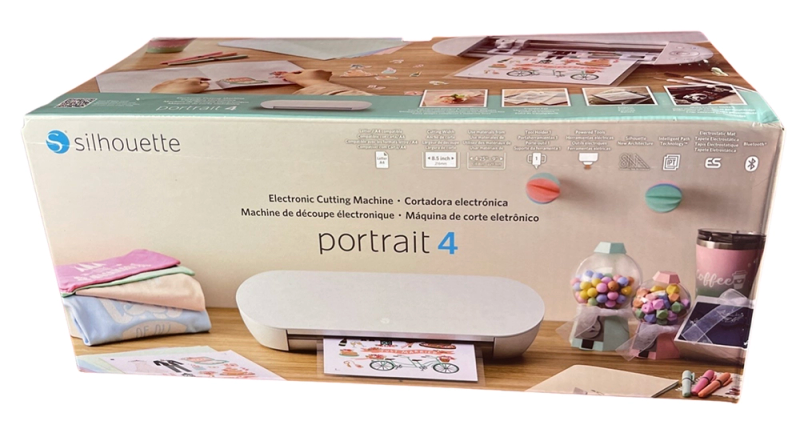
So what delights await inside?
Here’s what you get straight up:
- Silhouette Portrait 4 machine
- AutoBlade 2 (pre-installed)
- Blade adjustment tool
- Pen Adapter (included — was a separate purchase with the Portrait 3)
- 8.5 × 12 in cutting mat
- Power terminal + AC adapter
- Silhouette Studio software (download)
- 50 exclusive designs (with registration)
- 1-month Silhouette Design Store subscription (with registration)
Sold Separately
Compatible Tools
The Portrait 4 has a single tool holder (Type B, 210 gf) plus a power terminal:
- AutoBlade 2 (included) - auto-adjusting for vinyl, paper, cardstock, HTV
- 1mm Manual Blade (sold separately)
- 2mm Manual Blade (sold separately)
- 2mm Kraft Blade (sold separately) - chipboard, craft foam, leatherette
- Pen Adapter (included) - for sketch pens and markers
- Heat Pen (sold separately, normally $39.99) - heat-based foil transfer via power terminal
Tools that are NOT compatible: Rotary Blade, 3mm Kraft Blade, Punch Tool, Type C Embossing Tools, Type C Pen Holder.
These all require the Cameo 5's Carriage 2.
Is the Silhouette Portrait 4 Worth Buying?
If you're a vinyl crafter, sticker maker, or HTV hobbyist who works at 8.5 inches or narrower, the Portrait 4 is one of the smartest buys out there.
For a low price, you get Cameo 5-generation technology (SNA, IPT, Electrostatic Mat support), matless cutting up to 16 feet with any vinyl brand you prefer, Heat Pen compatibility, subscription-free software, and a machine light enough to carry in one hand. No other compact cutter offers this much for this little.
The limitations are mostly force-related - 210 gf of force in total, no fabric cutting, no thick materials, 8.5-inch max width, and the $50 SVG paywall (annoying but whatever). If those limitations don't apply to what you make, you're getting flagship technology in a machine that costs less than a Cricut Joy Xtra and weighs a bag of flour.
We'd recommend the Portrait 4 over the Joy Xtra for most vinyl and sticker crafters, unless free SVG import and Cricut's tutorial community are dealbreakers for you. And if you ever outgrow it, everything you learn in Silhouette Studio transfers directly to the Cameo 5.
Still not sure which cutter is right for you? Check out our Reviews section for detailed analysis of all the top-selling vinyl cutting machines.
Pros & Cons
What We Love
- ✓Elements of Cameo 5-level technology at Portrait pricing
- ✓Matless cutting up to 16 feet with any standard backed material
- ✓Ultra-portable at 4 lbs with subscription-free offline software
- ✓Nice Heat Pen compatibility for foil stamping
- ✓Improved Print & Cut and 5-inch material support
Watch Out For
- ✗Only 210 gf cutting force - far below the Cameo 5
- ✗No Rotary Blade, no 3mm Kraft Blade - single carriage only
- ✗SVG import still requires a $49.99 software upgrade
- ✗2mm material clearance - less than Cameo 5's 3mm
- ✗Fabric cutting is limited - requires backing/stabilizer
Our Verdict
Excellent
The Silhouette Portrait 4 delivers a surprising amount of technology for a low price. In fact, it runs the same Silhouette New Architecture, Intelligent Path Technology, and AutoBlade 2 as the fancy Cameo 5 - plus Electrostatic Mat support and Heat Pen compatibility that the previous Portrait 3 lacked entirely. Matless cutting handles any standard backed material up to 16 feet, subscription-free Silhouette Studio works offline, and the whole package weighs just 4 lbs. The Portrait 4 outperforms the Cricut Joy Xtra on most specs and represents arguably the best value compact cutter on the market today.
Specifications
| Spec | Detail |
|---|---|
| Colors | White |
| Connectivity | USB 2.0 (Full-speed) + Bluetooth |
| Cutting Force | 210 gf (Tool Holder 1 only) |
| Dimensions | 17.32 × 6.42 × 4.88 in (44.0 × 16.3 × 12.4 cm) |
| Material Clearance | 2 mm (78.8 mils) |
| Materials | 100+ |
| Max Cut Size (Mat) | 8.5 × 12 in (21.6 × 30.5 cm) |
| Max Cut Size (Matless) | 8 in × 16 ft (20.3 cm × 4.88 m) with lined material using Roll Feeder |
| Max Cut Speed | Not verified - faster than the Portrait 3 |
| Print Then Cut | Yes |
| Software | Silhouette Studio (free basic edition; Designer Edition for SVG import). Also: Silhouette Go (mobile), Silhouette Web (browser-based). |
| Weight | 4 lbs 1.3 oz (1.85 kg) |