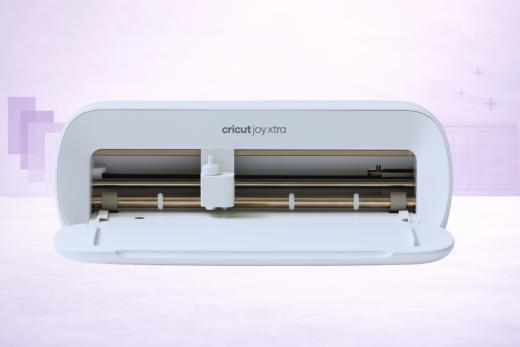
The Cricut Joy Xtra is the best sticker machine in Cricut's lineup - a 6 lb cutter with Print Then Cut that fits on a kitchen counter and is capable of turning a home inkjet printer into a professional sticker production setup.
Priced lower than the Explore or Maker, it hits a sweet spot for sticker sellers, label makers, and casual crafters who don't need (or want) a full-size machine.
That said, the Joy Xtra's value proposition has gotten tighter since launch.
The Cricut Explore 5 was released at its lowest ever launch price ($199), and now offers wider cutting (12 in vs 8.5 in), double the materials (100+ vs 50+), scoring and faster operating speeds.
The Joy Xtra is still hanging in there, but the remaining edge comes from its compact form factor - about the size of a loaf of bread - and its overall simplicity. If space is your top concern, or you mostly make stickers and simple vinyl projects, the Joy Xtra still makes sense. But… if we’re being honest, for everyone else, the Explore 5 is looking like the value deal at this stage.
Let’s take a closer look!
Key Features of the Cricut Joy Xtra
Here is the machine in all its compact beauty:
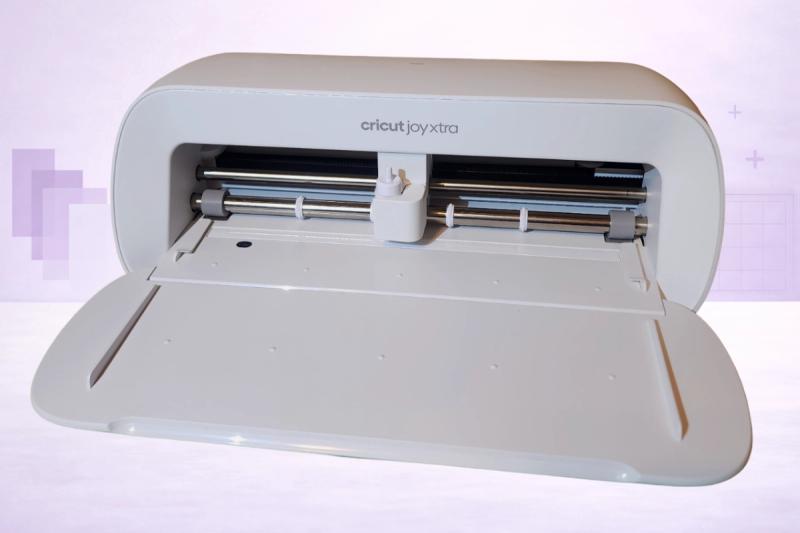
And its headline features:
- Print Then Cut via built-in Easy Printables sensor - capable of making full-color stickers from a standard home inkjet printer
- 8.5-inch cutting width - accepts standard US letter and A4 sized materials
- 50+ compatible materials including vinyl, iron-on, cardstock, paper, and sticker material
- Smart Materials compatible for matless cutting up to 4 feet long
- Ultra-compact: 12.5 × 6 × 5.5 inches, just 6 lbs - it fits literally anywhere
- Bluetooth connectivity (no USB)
- 3 compatible tools: Joy Fine-Point Blade, Joy Foil Transfer Tool, Joy Pens & Markers
- Backwards compatible with all existing Cricut Joy tools and accessories
- Powered by Cricut Design Space (desktop + mobile)
Print Then Cut: The Joy Xtra's Biggest Win
If you’re wondering why you’d upgrade from the original Joy, this is one of the top reasons.
The built-in Easy Printables sensor is what separates the Joy Xtra from the original Joy and it’s partly what makes it such an awesome sticker machine.
Anybody can get comfortable with the process:
- Design your stickers, labels, or printable iron-on in Design Space
- Design Space will then add registration marks around your artwork
- Print the sheet via your inkjet printer
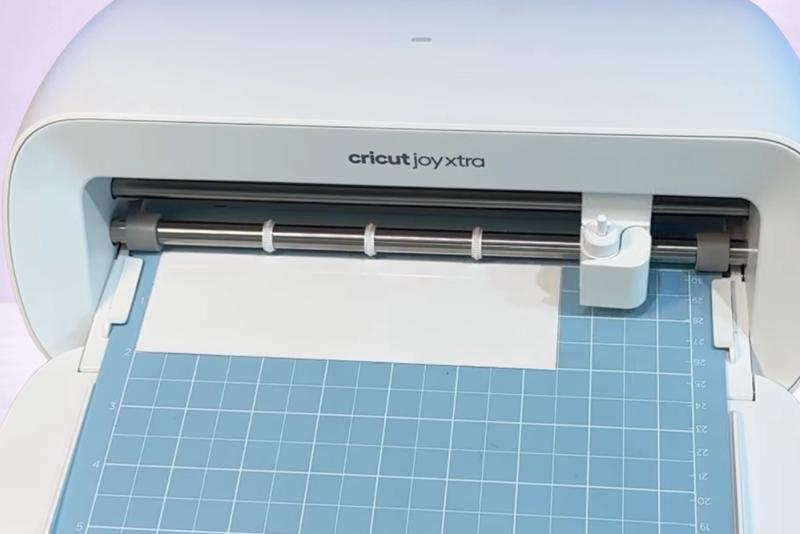
- Place the printed sheet on a Joy Xtra cutting mat… and load it
- The built-in camera reads the registration marks and cuts precisely around each printed image
Just like that!
The result is professional-quality die-cut sticker sheets, kiss-cut stickers, printable iron-on transfers, gift tags, and custom labels - all from a machine that sits on a bookshelf and blends in with your craft room.
The registration is super reliable and cuts land exactly where they should.
This is the #1 reason sticker sellers and Etsy label makers choose the Joy Xtra. If Print Then Cut is what you live for, this machine will come in very handy indeed.
What We Love About the Joy Xtra
Super Portable (Obviously!)
You don’t need to check the spec sheet to see that this thing is going to sit comfortably in your craft room without a major clear-out.
At 12.5 × 6 × 5.5 inches and 6 lbs, the Joy Xtra is less than half the size and weight of an Explore machine. It sits on a kitchen counter, a bookshelf, a desk corner, even a nightstand… basically, wherever you want to put it.
For readers without a dedicated craft room - apartment dwellers, dorm room crafters, people who set up and put away every session! - we know first hand that the compact footprint is a major plus.
You can grab it with one hand and stash it in a cupboard when you're done.
It’s really just super convenient to use.
Print Then Cut That Actually Works
We've already covered this above, but it’s one of the driving factors behind the Xtra’s popularity: the Print Then Cut on the Joy Xtra is excellent.
The built-in sensor reads registration marks consistently, and cuts are precise enough for professional sticker production.
If you are running a small sticker shop on Etsy or at local craft fairs, this is a reliable workhorse that gets the job done.
The 8.5-inch width means you're working with standard letter-sized sticker sheets - which is the same as sheets available at most craft stores.
Standard Paper Size = Standard Materials
The original Cricut Joy was limited to 5.5-inch wide materials, which meant buying these really narrow-format supplies via Cricut.
The Joy Xtra's 8.5-inch width accepts standard US letter and A4 sized materials - so regular vinyl sheets, regular cardstock, regular sticker paper from any craft store.
This alone eliminates one of the original Joy's biggest bug-bears and opens up affordable material options.
The Simplest Cricut Experience
This was immediately apparent within 30 minutes of undoing the machine.
It just works.
It’s a Cricut that your kids will love, too.
Three tools. One blade. Bluetooth. Done!
The Joy Xtra has the kindest learning curve of any Cricut machine because there's less to learn. You don’t have any tool carriages to figure out, no blade pressure dials, no 13-tool ecosystem to navigate.
For a complete beginner or someone who just wants to make stickers without becoming a "craft machine person," the simplicity is the main reason you’d choose it over a machine like Explore 5… which is objectively better on every metric except for size.
Backward Compatible With Joy Accessories
If you already own a Cricut Joy with foil tools, pens, and markers, every Joy-family accessory works with the Joy Xtra.
There’s no need to rebuy your tool collection, which is a relief… because they’re not exactly cheap to acquire!
This makes it a fairly painless upgrade from the original Joy - you get Print Then Cut and a wider cutting area while keeping all your existing accessories.
What Could Be Better
Many of the limitations we’ve laid out below are fairly self-explanatory… as in, they are exactly what you’d expect from a machine where you are clearly sacrificing size (and a chunky feature set) for convenience.
8.5-Inch Width Limits What You Can Make
Could be an issue, depending on what you intend to craft.
The Joy Xtra cannot use standard 12 × 12 cutting mats, 12-inch wide vinyl rolls, or any Explore/Maker-sized materials.
Full-size scrapbook layouts, wide vinyl decals, large wall quotes, and bigger paper projects are simply not possible with this release.
If your projects regularly exceed 8.5 inches in any dimension, the Cricut Joy is not the choice for you.
Only 50 Materials and 3 Tools
With a single blade type and no scoring, deep cutting, or fabric tools, the Joy Xtra is waaaaay less versatile than any Explore machine.
This is hardly a surprise.
It cannot score fold lines for cards (a significant gap for card makers), cut thick materials like foam or chipboard, or handle any fabric. The 50+ material count is half the Explore line's 100+.
If you're likely to outgrow stickers and vinyl within a year, you'll wish you'd bought an Explore.
No Scoring
It’s Slow - Compared to Cricut Explore!
The Joy Xtra cuts at 5.65 in/s - roughly half the speed of the Explore 4 or Explore 5.
We can’t imagine that this will be a dealbreaker.
And for one-off personal projects, you won't notice.
For batch sticker production or complex designs, the speed gap does become noticeable, especially if you were previously used to working with the larger flagship machines.
Bluetooth Only
Unlike Explore and Maker machines that offer USB-C as a backup, the Joy Xtra connects only via Bluetooth.
And this is a BIG problem if you encounter some of the pairing issues that we did when we were getting the machine setup.
The advantage of portability becomes somewhat shaky if you can’t rely on the bluetooth.
For a machine aimed at beginners, this can be a frustrating first experience.
The Explore 5 Now Matches Its Price
This is the elephant in the room, right?
The Cricut Explore 5 launched in February 2026 at $199 - the same price as the Joy Xtra. But capable of doing a whole lot more.
Cricut may well be canalising their own market.
The Explore 5 offers wider cutting (12 in), more materials (100+), faster speed, more tools (6 including scoring), longer matless cuts (12 ft vs 4 ft), and USB-C connectivity.
The only Joy Xtra advantages are its smaller size and lighter weight.
But if you don’t care about moving it around, we’re not sure why else we’d pay the same price for less capabilities.
Cricut Joy Xtra vs Explore 5
Since these two machines now share the same price point (depending on sales at the time you read this!), this is the comparison that matters most:
The Explore 5 wins on every measurable spec. The Joy Xtra is 7 inches shorter, 1.5 inches narrower, and 4 lbs lighter… a meaningful difference if your workspace is a corner of a kitchen counter or a shared desk.
Our take: For sticker-focused crafters who value space and convenience above all else, the Joy Xtra still earns its place. For everyone else choosing between these two machines, the Explore 5 is the better value.
Cricut Joy Xtra vs Original Joy
If you're upgrading from the original Joy, the Joy Xtra is a straightforward improvement in every way.
There’s no real debate here.
- Print Then Cut - the original Joy can't do this at all
- 8.5-inch width vs the Joy's 5.5 inches - accepts standard letter-size materials
- Standard materials - no more hunting for narrow-format proprietary supplies
- Same tools - all your existing Joy blades, pens, and foil tools carry over
What's in the Box
What can you expect if you take the plunge and grab yourself a Cricut Joy Xtra?
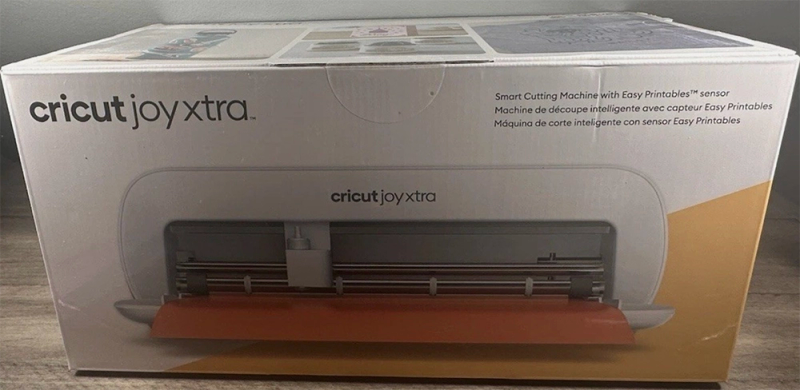
The standard release includes:
- Cricut Joy Xtra machine
- Joy Premium Fine-Point Blade + Housing (pre-installed)
- Black Fine-Point Joy Pen
- Mini Weeder
- 2 sheets Matte Black Removable Smart Vinyl
- 1 sheet White Writable Smart Label material
- 1 sheet Gold Smart Iron-On
- 1 sheet Transfer Tape
- Power cable
- Getting started booklet
Mat Sold Separately
As always, there are various bundle deals on both Cricut and Amazon. We suggest you compare these before buying, as you can often pick up a bunch of tools for much less than it would cost to purchase them separately.
What Can You Make With the Joy Xtra?
Without question, Joy Xtra's sweet spot is small-to-medium projects using vinyl, iron-on, paper, and standard sticker materials - so think:
- Sticker sheets - kiss-cut and die-cut, the Joy Xtra's bread and butter
- Custom labels - for pantry jars, storage bins, wedding favors, small business packaging
- Vinyl decals - laptop stickers, water bottle decals, car window clings (up to 8.5 in wide)
- Iron-on T-shirts - simple designs on apparel, tote bags, baby onesies
- Gift tags and paper crafts - remember though, no scoring limits card-making
- Foil accents - metallic foil details on invitations and projects (with Joy Foil Transfer Tool)
- Writing and drawing - custom addressing, planner layouts, hand-lettered designs
What it can't do: full-size 12-inch layouts, scored cards, fabric cutting, thick material cutting, engraving, debossing, or anything requiring Explore/Maker-class tools.
Is the Cricut Joy Xtra Worth Buying?
This is a tough one because if we’re judging it by specs alone… the answer is, not really. The Explore offers so much more.
BUT If you make stickers, labels, and simple vinyl projects, and you truly need a compact machine that fits in a small space, the Joy Xtra delivers exactly what it promises. It’s up there with the Portrait 4 in this regard.
Print Then Cut is excellent, the 8.5-inch width handles standard materials. For Etsy sticker sellers working from a small apartment, this is absolutely a god-send tool.
But be honest with yourself about whether compactness is truly your priority. The Explore 5 costs the same (at the time of writing!), and it's a more capable machine in every dimension.
The Joy Xtra makes the most sense for: sticker sellers, label makers, and casual crafters who need the smallest possible machine with Print Then Cut. It's also a solid upgrade from the original Joy.
Consider the Explore 5 instead if: you have room for a slightly larger machine, want to make cards with scored fold lines, need to cut materials wider than 8.5 inches, or plan to grow beyond stickers and simple vinyl.
Still not sure what the best vinyl cutter for your needs is? Be sure to check out our Reviews section for detailed analysis of ALL the top-selling die cutters.
Pros & Cons
What We Love
- ✓Ultra-compact design - it fits literally anywhere
- ✓Print Then Cut for full-color stickers from a home printer
- ✓Accepts standard US letter and A4 sized materials
- ✓Excellent value for sticker makers
- ✓Backward compatible with all Cricut Joy tools
Watch Out For
- ✗Only 8.5-inch cutting width - can't handle 12-inch materials
- ✗Less materials than Explore and no scoring or deep cutting
- ✗Slow cutting speed - 5.65 in/s vs Explore's 10-14 IPS
- ✗Bluetooth only - no wired USB connection
- ✗Questionable value vs. new Explore 5 base model
Our Verdict
Excellent
The Cricut Joy Xtra is a super compact machine that does one thing exceptionally well: Print Then Cut sticker production... from a tiny package that fits on a kitchen counter. The built-in sensor is really good, the 8.5-inch width accepts standard letter-sized materials, and the simplicity of three tools means a flat learning curve for beginners. For sticker sellers, label makers, and casual crafters who need the smallest possible Cricut, it delivers in spades. We'd recommend it if compactness is your true priority. But if space is no issue, the Explore 5 is the better buy.
Specifications
| Spec | Detail |
|---|---|
| Colors | White |
| Connectivity | Bluetooth only - no USB cable connection |
| Cutting Force | Not disclosed - less than the Explore's 400 gf |
| Dimensions | 12.48 × 4.46 × 5.87 in (31.7 × 11.3 × 14.9 cm) |
| Fabric Cutting | No |
| Material Clearance | Less than Explore (<1.5mm or less) |
| Materials | 50+ |
| Max Cut Size (Mat) | 8.25 × 11.75 in (20.9 × 29.8 cm) |
| Max Cut Size (Matless) | 8.5 × 48 in (21.6 cm × 122 cm / 4 ft) with Smart Materials |
| Max Cut Speed | 5.65 in/s (14.35 cm/s) |
| Print Then Cut | Yes |
| Smart Materials | Yes |
| Software | Cricut Design Space (free; desktop + mobile app) with optional Cricut Access subscription |
| Weight | 6.03 lbs (2.73 kg) |