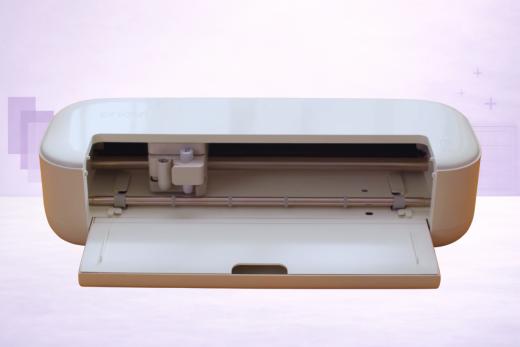
The Cricut Explore 5 is an affordable entry point to the world of full-size cutting with Cricut - and after a couple of weeks with it, we think it's the best starter Cricut you can buy right now.
At $199 base (note: the price is often inflated by bundle deals), with a 30% smaller footprint than the Explore 4, it slots neatly into the "I want a proper cutter but I don't need Maker power" void.
Fair warning: this is an early review.
The Explore 5 only went on sale February 27, 2026, so our impressions are based on a few days of hands-on use rather than months. We'll update this review as we put more hours on the machine… but so far, first impressions are positive.
If you're a vinyl crafter, sticker maker, card maker, or HTV enthusiast who doesn't need to cut wood, leather, or unbacked fabric, the Explore 5 delivers pretty much everything you could need in a package that takes up less space than ever.
Let's take a closer look…
What's New in the Explore 5
First things first, we think it’s fair to say: this is not a minor refresh.
The Explore series hasn’t always been known for taking giant leaps between releases, but in this case, the machine has gone a somewhat radical transformation.
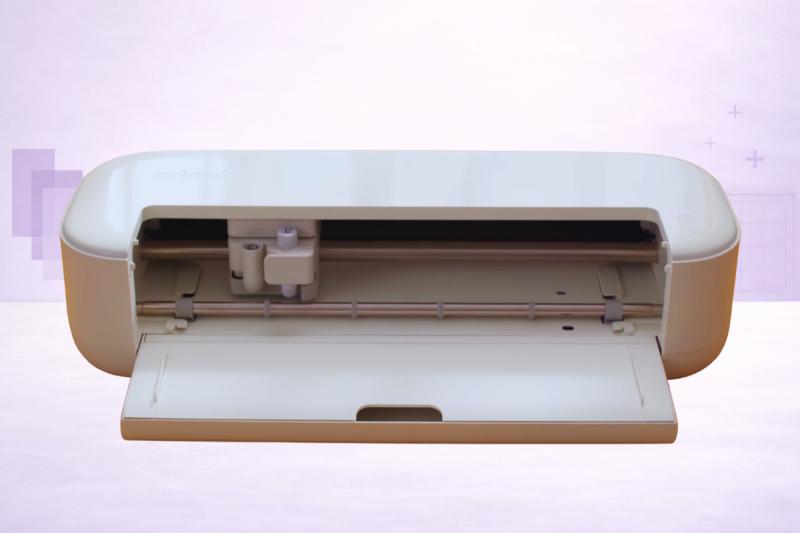
Cricut completely redesigned the Explore 5's exterior - the first real physical overhaul of the Explore line since 2014.
Here's what changed:
- 30% more compact - Clearly visible to anybody who has used a previous Explore machine. At 19.8 × 7.5 × 4.7 inches, it's much smaller than the Explore 4 (22.2 × 7.0 × 5.9 in). It sits comfortably on a small desk or craft table taking up less room.
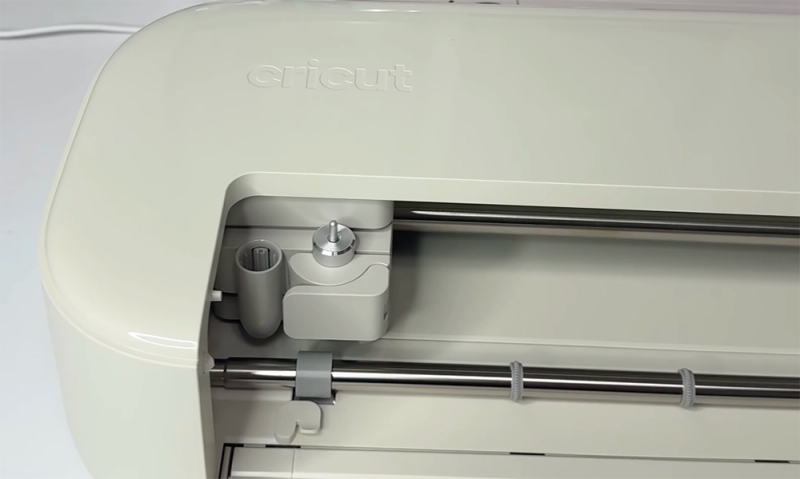
- New integrated blade system - The blade and housing are now a single unit. When the blade dulls, you replace the whole thing. It's simpler, safer (no more handling tiny exposed blades), and (we can imagine) a lot easier for beginners.
- Snap-in pen holder - The new pen loading mechanism is quick and satisfying. Pop it in, it clicks, done.
- Open-top design - No flip-up lid. The machine has a modern, open aesthetic with just a bottom tray. Looks great, though it does mean more dust exposure if you leave it out….
- Deep Cutting Tool - Sold separately, this is new to the Explore line. It handles materials up to 1.5mm: foam, rubber, magnet sheets. Previous Explore machines couldn't touch these (although they had a weaker Deep Point Blade instead).
- Single clamp system - This is the big change (and the controversial one). It’s been ruffling a few feathers. More on this below.
- Design Space Create AI - Cricut Access subscribers can now generate cut-ready single-layer designs from text prompts thanks to the wonders of AI. It's early days for this feature, but it's fun to play with.
- $199 base price - That's $50 less than the Explore 4 at launch and $100 less than the Explore 3. Cricut is clearly making the Explore line more accessible. Note, however, that at the time of writing, the base model is only available through Cricut direct. Amazon is selling bundles only (for now).
The Scoring Situation: One Clamp Changes Things
Let's address this upfront because it's the most talked-about change and some people have been quite vocal about not liking it…
The Explore 4 had two clamps: Clamp A for pens and the Scoring Stylus, and Clamp B for the blade. This meant you could score and cut in a single pass - load your materials, hit go, and the machine handled both operations without interruption and with minimal fuss.
So…
The Explore 5 uses a single unified clamp. The cutting tool and the new Scoring Tool share the same slot. Ultimately this means that if you're making a scored-and-cut project (greeting cards, boxes, envelopes), the machine will pause and ask you to swap tools mid-project.
Is that a big deal?
To some people. clearly, yes.
Honestly, for most crafters, we don’t think it’s a huge issue… but it’s certainly worth noting. The swap takes about 10 seconds. But if you make a lot of cards or boxes and you're used to the Explore 4's one-pass workflow, it's a noticeable step backwards in that sense.
It seems to use that Cricut has made a trade-off that simplifies the machine design at the cost of a smoother workflow… for this specific use case.
Upgraders Take Note
What We Like So Far
Still early days with the machine, so we will update this as (and when) we find new things to love - or hate!
The Size Is a Nice Improvement
We keep coming back to this because it really does matter.
Craft spaces are often shared spaces - a dining table, a corner desk, a shelf in the spare room. Here at VCM, we have a LOT of craft cutters laying around, so it’s not the end of the world… but we certainly appreciate a compact and modern design.
The Explore 5 takes up meaningfully less room than any previous full-size Cricut, and at 10 lbs (down from 11.1 lbs), it's easier to store when you're not using it.
Of course, if you are dead set that space is the enemy, you might also consider the Cricut Joy Xtra instead.
It’s even smaller.
$199 Gets You a Lot of Machine
Cricut has launched some heavy marketing to back this reduced launch price of $199.
And once again, we have to stress that the $199 is just the base model. Many of the bundle packages start around the $250 point. Although, that too, is a drop on the previous models!
Fact is, though… you’re getting a serious craft cutter for your bucks here.
The Explore 5 cuts 100+ materials, works with Smart Materials for matless cuts up to 12 feet, does Print Then Cut, supports six tools (cutting, scoring, drawing, writing, foiling, and deep cutting), and connects via Bluetooth and USB-C.
The Explore 3 launched at $299 for a smaller feature set. Cricut is making full-size cutting genuinely affordable… which hacking away at the actual size of the machine in the process.
Deep Cutting Tool Expands What Explore Can Do
Previous Explore machines topped out at standard cardstock and vinyl.
The new Deep Cutting Tool handles materials up to 1.5mm - foam, rubber, magnet sheets, poster board, heavy cardstock. You're not going to cut wood or thick leather like a Maker, but for foam stamps, fridge magnets, and party decorations, it's a welcome addition to the Explore line.
Note however that the tool is sold separately!!
Design Space's Guided Flows Are Helpful
If you've ever opened Design Space for the first time and felt overwhelmed by a blank canvas… join the club.
Good news is that the new Guided Flows address that directly.
Tell it what you want to make (a T-shirt, a sticker, a card), and it walks you through the process step by step. AI is doing a lot of the heavy lifting here. The canvas auto-sizes to your project type, and Live Project Preview shows your design on a realistic mockup. Nice!
For beginners, we can see this being particularly helpful.
Free Content Tip
What Could Be Better
What do we think could be improved or iterated in a future release?
Glad you asked!
The Single Clamp Trade-Off
Yes, the move to a single clamp means tool swapping for score-and-cut projects.
It's not the end of the world for us, but we understand some of the criticism.
It's a step backward for card makers and anyone who relied on the Explore 4's dual-clamp convenience. We'd love to see Cricut address this in a future accessory or update.
Open Design Collects Dust
The Explore 5 ditches the flip-up lid for a sleek open-top look.
Now while it’s aesthetically rather lovely, if you leave the machine on your desk between projects, dust and craft debris will settle on the internals. This hasn’t happened to us yet because we’ve only had it for a few days…. but we can almost guarantee that it will do in time!!
A simple dust cover would be a good investment.
No doubt Cricut will be frothing at the prospect of another easy win accessory!
Some Pen Compatibility Friction
If you've built up a collection of Cricut pens and markers from your Explore 4 or earlier machines, not all of them will work in the Explore 5's new snap-in pen holder without a universal adapter.
Cricut has said an adapter is coming, but at the time of writing, it's not widely available yet. We haven’t had access to one.
New pens marked with the Explore 5 compatibility symbol work perfectly out of the box.
Speed Claims…
Cricut says the Explore 5 cuts at "top-tier speeds" but hasn't published an actual IPS (inches per second) figure. The Explore 4 was measured at roughly 10 IPS standard / 14.1 IPS peak.
In our early use, the Explore 5 feels comparable… possibly a touch faster on long Smart Material cuts - but we don't have hard numbers yet.
We'll update this section when independent benchmarks are available.
Still the Same Smart Materials Lock-In
You know the drill here.
Cricut isn’t going to change its philosophy overnight.
Matless cutting requires Cricut-branded Smart Materials. Regular vinyl, HTV, and cardstock still need a cutting mat. This has been the case for every Explore and Maker machine, and it hasn't changed.
If open-material matless cutting is important to you, the Silhouette Cameo 5 can do it with any standard lined material from any brand.
Cricut Explore 5 vs Explore 4
OK, so, should you upgrade?
If you’ve got infinite money, yes, why the hell not?
For most of us, though, the answer is more nuanced.
If your Explore 4 is working well, we’d say there's no urgent reason to replace it.
The Explore 5 doesn't add new cutting power or material capabilities (the Deep Cutting Tool aside). What it offers is a smaller footprint, a lower price, a modernized design, and the new Design Space features.
Great for new customers… but probably not enough to convince Explore 4 owners to jump on the upgrade train.
If you're buying your first Explore, though, the Explore 5 is a no-brainer. It's cheaper than the Explore 4 was at launch, smaller, and comes with better bundling options out of the gate.
The only potential hang-up is the single clamp issue.
Cricut Explore 5 vs Silhouette Cameo 5
This is the cross-brand comparison that matters, but it’s kind of unfair…
The Cameo 5’s natural rival is actually the brand new Cricut Maker.
Alas, the Cameo 5 is obviously the king of raw specs: 5,000 gf of cutting force, 400mm/s speed, matless cutting with any lined material (not just branded Smart Materials), and subscription-free software.
The Explore 5 wins on price, beginner-friendliness and for access to the wider Cricut support community.
Cricut's Design Space is simpler to learn than Silhouette Studio, and Cricut's YouTube tutorial library and 8M+ member community make troubleshooting a breeze. The free SVG import in Design Space is also a real advantage over Silhouette Studio's $49.99 Designer Edition paywall.
Our take: if you're new to cutting and want the smoothest start, the Explore 5 is hard to argue with. If you already know your way around a cutter and you want more power, speed, and material freedom… the Cameo 5 delivers more machine for more money.
Compatible Tools
This may change soon, but currently the Explore 5 works with six tools - a mix of included and sold-separately accessories:
- Premium Fine-Point Cutting Tool (included, pre-installed) - This is your workhorse for vinyl, iron-on, paper, and cardstock. The integrated blade+housing design means no fiddly blade swaps.
- Scoring Tool (included in most bundles) - For fold lines on cards, boxes, and envelopes. Uses the same clamp as the cutting tool, so you'll swap between them on score-and-cut projects… a sore spot for some.
- Deep Cutting Tool (sold separately) - Cuts materials up to 1.5mm including foam, rubber, magnet sheets, and poster board. New to the Explore line.
- Cricut Foil Transfer Tool (sold separately) - Adds metallic foil accents in fine, medium, or bold tips.
- Snap-in Pen Holder (new design) - Holds Cricut pens and markers for writing and drawing projects.
- Cricut Pens & Markers (sold separately) - New universal pens marked with a compatibility symbol. Some older pens need a universal adapter.
Tool Compatibility
What's in the Box
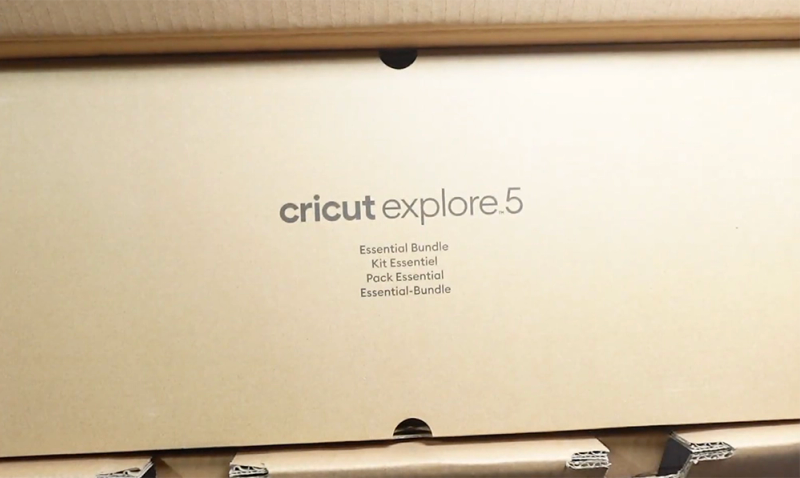
The base Explore 5 comes with:
- Cricut Explore 5 machine
- Premium Fine-Point Cutting Tool (pre-installed)
- USB-C cable
- Power adapter
- Welcome card with setup instructions
There are many bundles available, to the point where it’s difficult for us to track them here.
The main one is currently the Essential Bundle ($249) which adds a Scoring Tool, dual-tip pen, cutting mats, Smart Vinyl, Smart Iron-On, transfer tape, cardstock, printable vinyl, and accessory tools (weeder, scraper, scissors).
For first-time buyers, a very good choice.
Bundle Advice
Design Space and Create AI
Design Space has had a reputation for being clunky and cloud-dependent.
Well, the 2026 update doesn't fix everything, but the new Guided Flows and Live Project Preview are real improvements - especially for beginners who just want to make their first project without watching a 20-minute YouTube tutorial first.
Create AI is the headline software feature, and a sign of the times, right?!
It's exclusive to Cricut Access subscribers ($9.99/month) and generates cut-ready, single-layer designs from text prompts. Because literally everything is a prompt these days…
Type "a coffee cup with flowers and the word 'bloom’" and you get a ready-to-cut SVG in seconds. It's not going to replace professional design work, but for quick personalised gifts, party decorations, and custom stickers, it's useful. And it’s only going to get better.
By the time you read this, it’s probably already evolved.
No other cutting machine software offers anything like it… yet. But we have NO doubt that will soon change.
Create AI is still clearly in its early stages.
Complex wordy prompts can produce hit-or-miss results, and it only generates single-layer designs (no multi-colour layered vinyl). We expect this to improve quickly, but right now it's a fun bonus rather than a central workflow tool.
Should You Buy the Cricut Explore 5?
After a few weeks of use, we think the Explore 5 is an excellent machine for the right person… and whether that is you, or not, we can’t deny: it comes at a very generous price.
Here's how we'd break it down:
Buy It If...
- You're new to cutting machines and want a full-size cutter without the Maker price tag
- You stick to working with vinyl, HTV, cardstock, stickers, and other simple printable materials
- Desk space is at a premium but the Joy Xtra isn’t powerful enough
- You want the largest tutorial ecosystem and beginner community available
- You're interested in the Deep Cutting Tool for foam, magnets, and thicker crafts
Skip It If...
- You already own an Explore 4 that works well - the upgrade isn't dramatic enough to justify doubling down.
- You need to cut unbacked fabric, wood, leather, or heavy chipboard - it’s too weak. get a Maker or Cameo instead.
- You want matless cutting with non-Cricut materials - the Silhouette Cameo 5 doesn't lock you into branded Smart Materials.
- You make a lot of scored-and-cut projects and don't want to deal with tool swapping (we think they will inevitably fix this with the Explore 6)
We'll continue testing the Explore 5 over the coming months and update this review once we’ve had chance to properly road-test it and measure the cutting speeds. For now, it's a strong first impression - an affordable way into the Cricut ecosystem.
Still not sure what the best vinyl cutter for your needs is? Be sure to check out our Reviews section for detailed analysis of ALL the top-selling die cutters.
Pros & Cons
What We Love
- ✓30% more compact design - smallest full-size Cricut ever
- ✓The base model is starting from just $199 (bundles add to this fast)
- ✓Deep Cutting Tool extends material range
- ✓Integrated blade system is safer and simpler
- ✓Design Space Create AI and Guided Flows
Watch Out For
- ✗Tool swapping required for cut-and-score projects
- ✗And the older Scoring Stylus is not compatible
- ✗Same Smart Materials lock-in for matless cutting
- ✗400 gf cutting force ceiling - can't compete with Maker/Cameo
Our Verdict
Exceptional
The Cricut Explore 5 is a beautifully-designed cutter that delivers remarkable value, with the base model launching at just $199. The 30% size reduction is immediately noticeable - and it makes a practical difference for shared workspaces and small craft rooms. The new Deep Cutting Tool expands what the Explore line can handle, Design Space's Guided Flows smooth out the beginner experience, and the generous bundles mean you can start making projects immediately. Speed claims are unverified (we'll get to them soon), and some older pen/tool compatibility requires adapters. These are early impressions - we'll update as we log more hours - but the Explore 5 is shaping up to be the best entry point into full-size Cricut cutting in 2026.
Specifications
| Spec | Detail |
|---|---|
| Colors | Taupe (standard); Teal (Michaels exclusive) |
| Connectivity | Bluetooth + USB-C |
| Cutting Force | 400 gf |
| Dimensions | 19.8 × 7.5 × 4.7 in (50.2 × 19.05 × 11.9 cm) |
| Material Clearance | 2.0 mm (standard); 1.5 mm with Deep Cutting Tool |
| Materials | 100+ |
| Max Cut Size (Mat) | 11.5 × 11.5 in (29.2 × 29.2 cm) |
| Max Cut Size (Matless) | 11.7 × 144 in (29.7 cm × 3.66 m / 12 ft) with Smart Materials |
| Max Cut Speed | Not yet benchmarked - comparable to Explore 4 |
| Print Then Cut | Yes |
| Smart Materials | Yes |
| Software | Cricut Design Space (free; desktop + mobile app) with optional Cricut Access subscription. New: Create AI feature for paid subscribers. |
| Weight | 10 lbs (4.5 kg) |