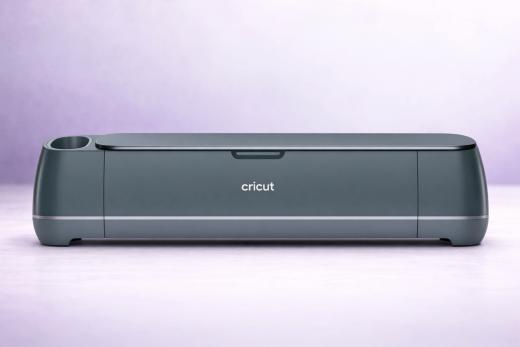
The Cricut Maker 4 is not a major upgrade on the Maker 3, but it’s still the most versatile home cutting machine you can buy - and if you need to cut unbacked fabric or thick materials like basswood and leather, it's the only Cricut worth considering.
This much-loved machine handles 300+ materials with 13 compatible tools and the trusty Adaptive Tool System that delivers 10× the cutting force of the Explore line.
Let's be direct about what the Maker 4 actually is, though…
It's a faster Maker 3.
Same body, same weight, same tools, same materials, same mats, same cutting force - just up to 2× faster on mat.
Yes, that's a meaningful improvement for batch cutters and complex projects, but it's not something that would force us to upgrade from the previous model. If you're deciding between the Maker 4 and a discounted Maker 3 at $159-$199, there’s a good argument to be made for choosing the older model unless you need that extra speed.
Here's everything you need to know about the Cricut flagship…
Key Features of the Cricut Maker 4
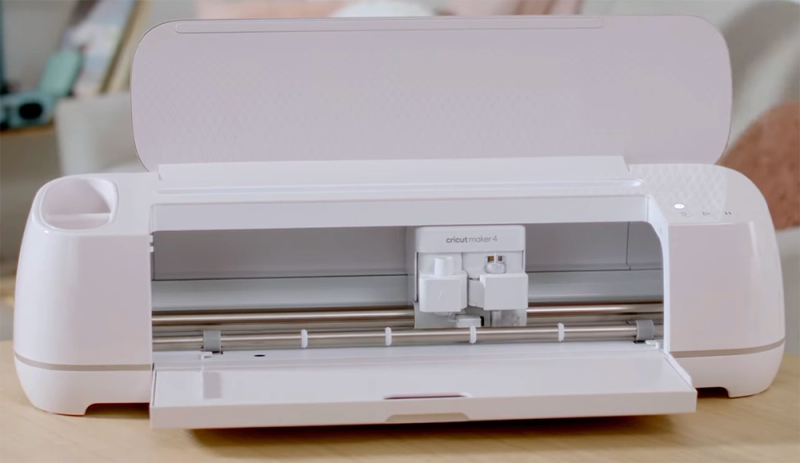
- 4,000 gf cutting force via Adaptive Tool System - that’s 10× the Explore line
- 300+ compatible materials - still the widest range of any home cutter
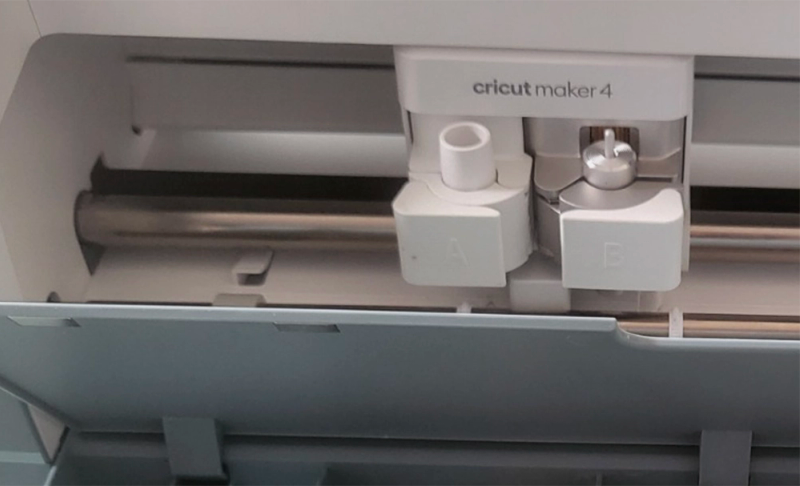
- 13 compatible tools - take your pick from blades, scoring wheels, engraving, debossing, perforation, foil, and more
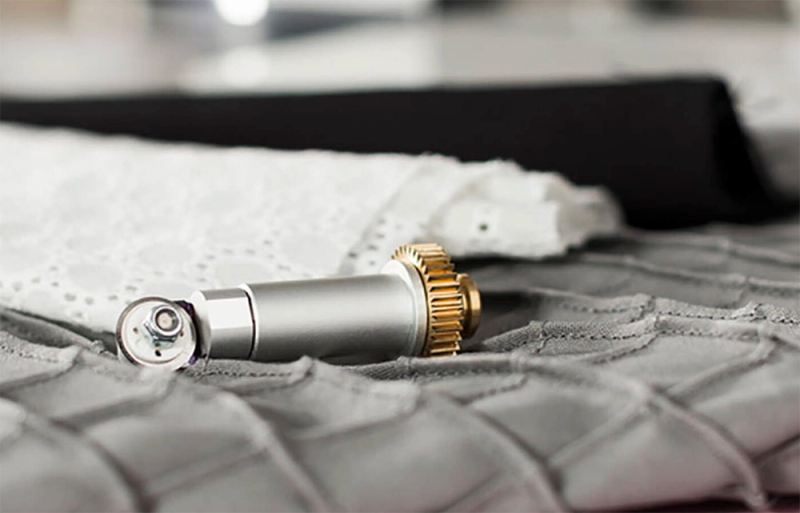
- Rotary Blade (Maker exclusive) - cuts unbacked fabric without a backing material
- Knife Blade (Maker exclusive) - cuts materials up to 2.4mm thick including basswood, mat board, and heavier leather
- Up to 2× faster than Maker 3 on mat (10 IPS vs 5 IPS, 100 IPS acceleration)
- Smart Materials compatible for matless cutting up to 12 feet long
- Works with all existing Maker/Explore mats, blades, and tools - full backward compatibility
- USB-C + Bluetooth connectivity (upgraded from Maker 3's standard USB)
- Cricut Design Space with offline capability on desktop and iOS
- Print Then Cut support with home inkjet printers
- Available in Seashell (standard) and Sage (currently a Michaels exclusive)
The Adaptive Tool System: Why the Maker Costs More
The Maker 4's retail $399 price tag - $150 more than the Explore 4 - is justified by one thing: the Adaptive Tool System.
How does this affect the overall experience?
Well, where the Explore simply drags its blade across materials, the Maker actively positions and rotates its blade as it cuts. And it does this very well. The unique capabilities allows it to apply 10× more downward force (4,000 gf vs 400 gf) and that means it can handle materials that no Explore machine can touch.
Here are some of the materials only the Maker can cut:
- Unbacked fabric (via Rotary Blade) - cotton, silk, denim, felt, crepe paper, tulle
- Balsa wood and basswood (via Knife Blade) - up to 2.4mm thick
- Mat board and heavy chipboard (via Knife Blade)
- Thick genuine leather (via Knife Blade)
- Engraving on soft metals, acrylic, leather (via Engraving Tip)
- Debossing on paper and leather (via Debossing Tip)
If you don't need any of these capabilities, the Explore 4 does everything else the Maker 4 does - and the even smaller Explore 5 (we’ll review it soon) handles most standard vinyl and paper projects perfectly well.
The Maker's premium is for crafters who work across multiple disciplines: sewing, paper crafts, vinyl, woodworking, and jewelry.
If you want the additional flexibility of being able to cut these materials, it’s a straight shootout between the Maker and Silhouette’s Cameo line.
What We Love About the Maker 4
While the machine is much the same as the Maker 3, it’s not like that was a bad machine. Honestly, it’s pretty awesome!
Nothing Else Matches This Material Range
You probably won’t test them all, but the Maker can handle 300+ materials with 13 different tools. It’s a jack of all trades.
From delicate crepe paper to 2.4mm basswood, from iron-on vinyl to leather, from soft metal engraving to debossed cardstock - if a home cutter can do it, the Maker 4 can do it.
The QuickSwap system makes tool changes take seconds: pop out the scoring wheel, snap in the engraving tip, and you're cutting a completely different type of project.
No other Cricut machine can touch it for versatility, which is where we give it maximum marks.
The Rotary Blade Is Still the Killer Feature
Yes, it’s a very popular feature, and easy to see why…
The Rotary Blade is exclusive to Maker machines and remains the only home cutting tool that handles unbacked fabric - so no stabilizer, no backing, and no fuss.
You can tool it up for cotton, silk, denim, felt, and virtually any other fabric cut with precision that's impossible to achieve by hand (or at least: extraordinarily time-consuming).
For quilters, sewists, and garment makers, this is the biggest reason to choose the Maker over the other machines we’ve covered.
The Silhouette Cameo 5 has its own Rotary Blade, but the Maker's gliding action with the Adaptive Tool System is still the more refined experience for fabric.
The Speed Upgrade Is Noteworthy - Especially on Mat
The Maker 4 doubles on-mat cutting speed from 5 IPS to 10 IPS, with acceleration jumping from 20 to 100 IPS.
Obviously, that's where most Maker users spend their time - thick materials and fabrics require mats, not Smart Materials.
For multi-pass Knife Blade projects that used to take 20+ minutes, the speed improvement is certainly a noticeable improvement.
Matless speed is a more modest bump (8 to 10 IPS), but still welcome for long Smart Material cuts.
Full Backward Compatibility
Thank god…
Every Maker blade, QuickSwap tip, mat, and material you already own works with the Maker 4 without having to splash the cash all over again.
Upgrading from a Maker 3 or original Maker requires zero new accessories. Your entire tool investment carries forward. Pretty essential given that a full Maker tool collection adds up to around $150-$250 in blades and tips.
On top of a machine that is already somewhat pricy.
USB-C and Offline Design
Not sure if this really matters to most users, but it’s the way modern devices are heading.
The Maker 4 includes USB-C (upgrading from the Maker 3's standard USB), and Design Space now supports offline design on desktop and iOS.
While Cricut's software still requires internet for some features, offline mode addresses one of our oldest Cricut complaints… making it much useful for craft fairs, classrooms, and locations with spotty Wi-Fi where the machine would be bricked if it went offline.
What Could Be Better
The Speed Upgrade Is a Tough Sell
We’re not sure that Cricut really expects customer to upgrade from the Maker 3 to 4. This is more of a product refresh than a relaunch.
The Maker 4 adds no new tools, no new materials, no new features, and no new form factor.
It is, for most of us, purely a speed upgrade in the same body at the same weight.
We say this is the knowledge that the Maker 3 is widely available on clearance for $159-$199 - less than half the Maker 4's price (at the time of writing) - with identical cutting capabilities.
If speed isn't critical to your workflow, the Maker 3 is the smarter buy by a wide margin.
Budget Tip
Silhouette Cameo 5 Offers More Force for Less Money
Silhouette fans love to point this out, and it’s true.
The Cameo 5's Tool Holder 2 delivers 5,000 gf of cutting force - 25% more than the Maker 4's 4,000 gf - at a cheaper price point. Depending on discount deals, you can often get the Cameo much cheaper.
Likewise, Cameo 5 also cuts any backed material matless (no proprietary Smart Materials required), uses free offline software with no subscription nudges, and is 133% faster than its own predecessor: the equally competitive Cameo 4.
For pure cutting power per dollar, we’d say the Cameo 5 is the more competitive machine.
The Maker 4's advantage is the Rotary Blade, Knife Blade, and Cricut's broader tool capabilities.
Smart Materials Lock-In for Matless Cutting
Want to cut matless on the Maker 4?
You need Cricut-branded Smart Materials - Smart Vinyl, Smart Iron-On, or Smart Paper Sticker Cardstock.
It’s a great moneymaker for Cricut, but perhaps not ideal for the budget-conscious consumer.
You can't just feed in a roll of Oracal 651 or Siser EasyWeed. The Silhouette Cameo 5, by contrast, cuts any standard backed material matless without that proprietary lock-in.
We have this same complaint about every Cricut machine, to the point where it’s not really a complaint anymore. It’s just considered part of the trade-off if you opt for Cricut over Silhouette (or another brand).
Design Space Can Be Pretty Frustrating
Design Space has improved over the years - offline mode on desktop and iOS is a nice step forward.
But it's still cloud-dependent for most features, persistently nudges you toward the $9.99/month Cricut Access subscription, and has a well-earned reputation for sluggish performance and occasional bugs.
Silhouette Studio is more powerful and entirely subscription-free, albeit with a much steeper learning curve (for new crafters)..
For users who just want to upload SVGs and cut, Design Space gets the job done; for anyone who wants to design in the same app, it can feel limited.
It’s Not Exactly Portable
Cricut might have upped the cutting speed, but they haven’t improved the time it will take to lug this bad boy around the house…
At 15.4 lbs, the Maker 4 is one of the heaviest home cutters on the market - more than the Cameo 5 (11 lbs) and nearly four times the slender Portrait 4 (4 lbs).
The dimensions are identical to the Maker 3, so Cricut missed the opportunity to shrink the footprint the way they did with the 30% smaller Explore 5 and Joy 2 (the latest releases) a year later.
Basically, this machine lives on a dedicated table.
Knife Blade Projects Are Slow and Desktop-Only
The Knife Blade is one of the Maker 4's unique selling points, but thick materials require multiple slow passes - meaning a single basswood or mat board project can take 20+ minutes.
Cricut's own help center warns that Knife Blade projects are incompatible with iOS and Android devices due to the long Bluetooth connection required. So it’s effectively desktop only in that sense.
If you craft from a tablet, this limits one of the Maker's premium capabilities.
Worth keeping in mind.
Cricut Maker 4 vs Maker 3
Already own a Maker 3?
Honestly, there’s not much to separate the two machines:
The Maker 4 is a Maker 3 that cuts faster.
Little else changes.
The on-mat speed doubling (5 → 10 IPS) is a meaningful upgrade - that's where fabric and thick materials live.
The USB-C upgrade is nice… but hardly a flagship hard-sell.
Should you upgrade?
If your Maker 3 feels slow during batch jobs or long Knife Blade cuts, the Maker 4 is obviously going to relieve some of that annoyance.
If you're happy with your Maker 3's speed, there's no reason to spend another chunky outlay on the same machine running faster. And if you don't own a Maker yet, the Maker 3 on clearance is one of the best values in craft cutting.
Think carefully about your needs before choosing a Maker.
In this case, the gap between generations is only minor.
Cricut Maker 4 vs Silhouette Cameo 5
This is the flagship showdown.
Both machines sit at the top of their respective ecosystems and fans are divided, often based on long-term loyalties either way.
Here's how they stack up:
The Maker 4 wins on material count (300+ vs 100+), number of unique tools (Knife Blade, Debossing Tip have no Cameo equivalent), and the sheer size of Cricut's community… which counts for a lot if you are just dipping your toes in the waters.
The Cameo 5 wins on brute cutting force (5,000 gf vs 4,000 gf), speed, price ($70 less), matless material freedom, software independence, and weight. Although neither are particularly ‘lightweight’ machines.
Our take: If you sew, quilt, or regularly work with unbacked fabric, the Maker 4's Rotary Blade with the Adaptive Tool System is still the best experience for that kind of work. And yes, if you need debossing or the Knife Blade for thick basswood and mat board, the Maker 4 definitely ahead.
For everyone else - especially vinyl crafters, small businesses, and anyone who values open materials and subscription-free software - the Cameo 5 is going to save you money.
So long as you are prepared to sacrifice access to the wider Cricut community. And the gajillions of tutorials on YouTube!
What's in the Box
The standard package comes as follows:
- Cricut Maker 4 machine (Seashell)
- Premium Fine-Point Blade + Housing (pre-installed)
- Fine Point Pen
- Light Grip Mat (12×12)
- Mini Weeder
- USB-C cable
- Power cord
- Getting started materials
For the first time, Cricut also includes sample Smart Materials in the box - Smart Vinyl, Smart Iron-On, Smart Paper Sticker Cardstock, and Transfer Tape - so you can start cutting immediately.
Tool Costs Add Up
All 13 Compatible Tools
Blades
- Premium Fine-Point Blade (included) - vinyl, iron-on, paper, cardstock, and most popular materials
- Deep-Point Blade (sold separately) - thicker materials like chipboard, craft foam, fabric with stiffener
- Bonded-Fabric Blade (sold separately) - fabrics with stabilizer or backing applied
- Rotary Blade (sold separately, Maker exclusive) - unbacked fabric: cotton, silk, denim, felt, tulle
- Knife Blade (sold separately, Maker exclusive) - materials up to 2.4mm: basswood, mat board, chipboard, heavy leather
QuickSwap Tools (6 tips, 1 shared housing)
- Single Scoring Wheel - deep score lines for lighter materials
- Double Scoring Wheel - parallel score lines for heavier materials like poster board
- Engraving Tip - permanently engraves text and designs on soft metals, leather, acrylic
- Debossing Tip - pressed-in designs for dimensional paper crafts
- Perforation Blade - tear-away perforated cuts for coupons, advent calendars
- Wavy Blade - decorative wavy-edge cuts for cards and gift wrap
Other Tools
- Scoring Stylus - basic scoring (simpler than Scoring Wheels, less precise)
- Foil Transfer Tool - adds metallic foil accents to projects
Plus don;t forget all the Cricut Pens & Markers for writing and drawing in any font - these use the accessory clamp and don't count toward the 13 tools.
Do You Actually Need the Maker 4? (Maker 4 vs Explore 4)
The Explore 4 retails for around $249 - $150 less than the Maker 4 - and it handles the same standard materials: vinyl, iron-on, paper, cardstock, and bonded fabric.
It runs at the same top speed with Smart Materials. The question is whether you need the Maker-exclusive capabilities.
Choose the Maker 4 if: you cut unbacked fabric (quilting, sewing, garment-making), work with thick materials like basswood or mat board, or need engraving and debossing capabilities. These are Maker-only.
Choose the Explore 4 if: you stick to cutting vinyl, iron-on, paper, and cardstock. The Explore 4 handles all of these with the same speed and quality as the Maker 4, but with less of a dent to your bank balance.
Don't pay the Maker premium for capabilities you won't use.
Is the Cricut Maker 4 Worth Buying?
It depends on which buyer you are…
For new buyers who need fabric and thick material cutting: yes. The Maker 4 is the most versatile home cutter available, period. Nothing else matches 300+ materials across 13 tools with the Adaptive Tool System. The speed improvements on the Maker 3 are nice to have, even if you probably won’t notice them unless you have used a previous Maker.
For new buyers on a budget: it’s still worth considering the Maker 3 on clearance. Identical capabilities just a little bit slower. Still great value (although the Maker 5 may change this equation!)
For existing Maker 3 owners: probably not worth the upgrade unless speed is holding you back or testing your patience.
For crafters who don't need fabric or thick material cutting: probably best to skip the Maker 4 entirely. The Explore 4 or the Cameo 5 are better values for standard vinyl, paper, and cardstock work.
Still not sure which cutter is right for you? Check out our Reviews section for detailed analysis of all the top-selling vinyl cutting machines.
Pros & Cons
What We Love
- ✓Widest material range of any home cutter - 300+ materials, including metal!
- ✓Unbacked fabric cutting via the excellent Rotary Blade
- ✓Up to 2× faster than Maker 3 on mat
- ✓Full backward compatibility with existing Maker tools
- ✓The USB-C upgrade is welcome
Watch Out For
- ✗A bump in speed - but not hugely different to Maker 3
- ✗Cameo 5 matches (and exceeds) the Maker 4 in cutting force
- ✗Large footprint - needs dedicated desk space!
- ✗Smart Materials lock-in for matless cutting
- ✗Knife Blade projects are extremely slow
Our Verdict
Exceptional
The Cricut Maker 4 stands out as the most versatile home cutting machine on the consumer market today - 300+ materials, 13 tools, and an Adaptive Tool System that delivers 4,000 gf for cutting unbacked fabric, basswood, leather, and metal. It does pretty much everything. But if we're being picky, was it really needed? The 2× on-mat speed improvement over the Maker 3 is the only real upgrade - everything else stays the same: same body, same weight, same tools, same force, same materials. That makes it a straightforward recommendation for new buyers who need fabric and thick material cutting, but a hard sell for existing Maker 3 owners. The Silhouette Cameo 5 offers slightly more raw cutting force, but for quilters, sewists, and multi-discipline crafters, the Maker 4's Rotary Blade and tool ecosystem remain unmatched.
Specifications
| Spec | Detail |
|---|---|
| Colors | Seashell (universal); Sage (Michaels exclusive) |
| Connectivity | Bluetooth + USB-C (cable included) |
| Cutting Force | 4,000 gf (4 kgf) via Adaptive Tool System |
| Dimensions | 22.1 × 7.1 × 6.2 in (56.1 × 18.0 × 15.7 cm) |
| Fabric Cutting | Yes |
| Material Clearance | 3/32 of an inch (2.4 mm) |
| Materials | 300+ |
| Max Cut Size (Mat) | 11.5 × 11.5 in (29.2 × 29.2 cm) |
| Max Cut Size (Matless) | 11.7 in × 12 ft (29.7 cm × 3.6 m) with Smart Materials |
| Max Cut Speed | Up to 10 IPS (x-axis) + 10 IPS (y-axis), 100 IPS acceleration. Maximum 14.1 IPS with Smart Materials. |
| Print Then Cut | Yes |
| Smart Materials | Yes |
| Software | Cricut Design Space (free; desktop + mobile app) with optional Cricut Access subscription. |
| Weight | 15.4 lbs |