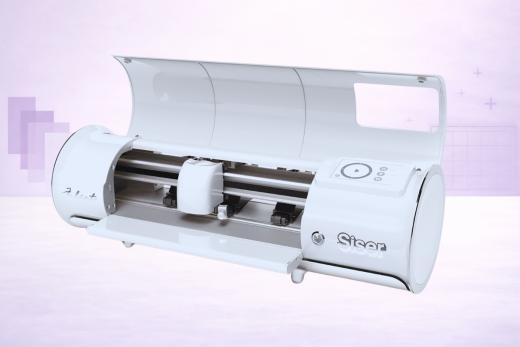
You know Siser. Even if you don't think you do - if you've ever pressed a vinyl design onto a T-shirt, there's a pretty good chance you used Siser EasyWeed or EasyPSV.
They're the biggest name in heat transfer vinyl and adhesive vinyl. So when Siser decided to make their own cutting machine, it certainly got a few of us talking.
The Siser Juliet is that machine.
It's not trying to be a Cricut. It's not trying to be a Silhouette. It's a vinyl cutter built by the company that makes the vinyl… and it's designed for people who cut vinyl and HTV all day long.
If that sounds like you (maybe you run an Etsy shop, sell at markets, or do custom T-shirts), the Juliet deserves a close look. If you're looking for an all-rounder that also does scrapbooking, fabric, and woodworking… well, this probably isn't your machine.
We had the opportunity to test a model of the Juliet and had it running alongside our Cricut and Silhouette machines.
Here’s what we made of it…
A Different Kind of Cutting Machine
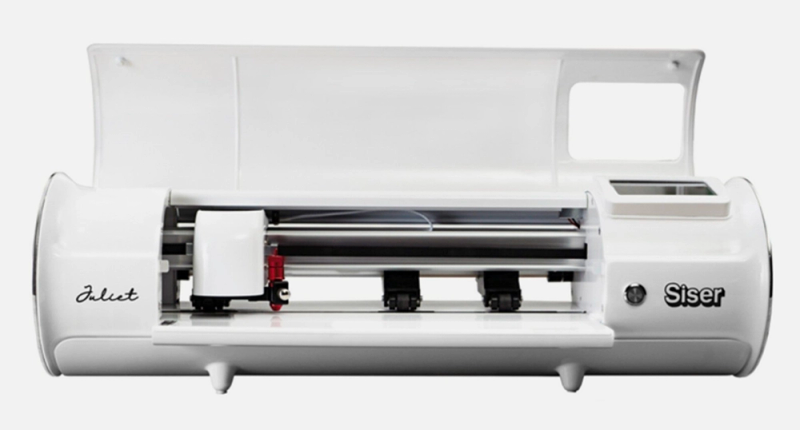
How best to describe the market positioning of the Juliet?
It’s kind of like a bridge between the world of casual craft cutting and professional cutting.
The Juliet has features you'd find on commercial plotters - a manual blade holder, adjustable pinch rollers, a stepper motor, and seriously fast cutting speed - but it also sits on your desk and plugs into your laptop like any other craft cutter.
We’d say it's aimed at crafters who've outgrown the hobby machines and want something that can keep up with a small business workload, without jumping to a full-blown $1,000+ commercial plotter.
It clearly doesn't try to do everything. And that’s probably a smart decision with machines like the Maker and Cameo already locked in.
This is a vinyl and HTV machine first, second, and third. Cardstock and stickers too, sure. But don't expect it to cut fabric, chipboard, or basswood.
The Juliet knows its lane and stays in it.
What We Love
It's Fast. Really Fast.
The Juliet cuts at 600 mm/s.
Which is to say that it’s built to get the job done in rapid time.
To put that in perspective, the Silhouette Cameo 5 - the fastest craft cutter we've tested - peaks at 400 mm/s. The Cricut Maker 4 tops out around 358 mm/s. The Juliet is over 50% faster than both.
Does that matter for one-off projects?
No, not really.
But if you're running a vinyl business and cutting 30 orders a day, the time savings are very very real. Siser claims 60% faster than traditional desktop cutters, and from our experience with a fairly minimal work rotation, that's about right.
It flies through HTV and adhesive vinyl like nobody’s business.
The Material Presets Are a Dream
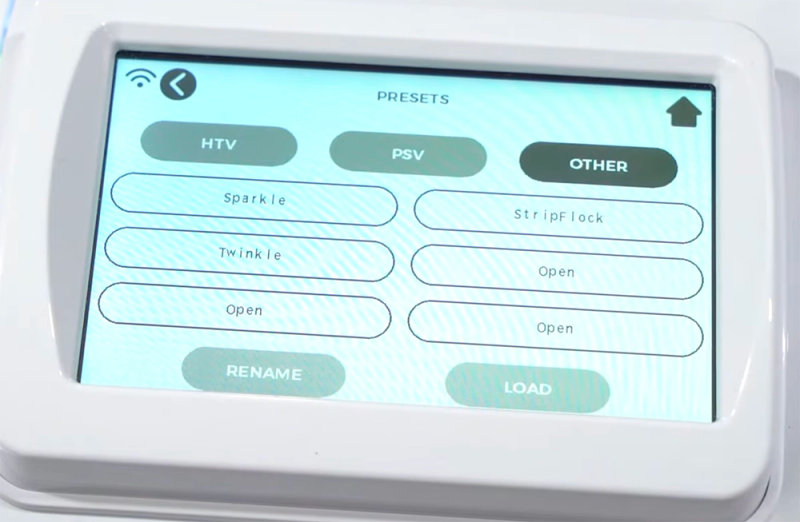
Predictably, since Siser makes the vinyl, they've tested and pre-loaded optimal cut settings for every single Siser product directly into the machine.
This is very efficient.
Pick EasyWeed from the touchscreen, and the force, speed, and blade depth are all dialed in automatically. No test cuts, no Googling "best cut settings for EasyWeed,"… you can pretty much get started right away.
And if you've ever wasted a sheet of expensive HTV because your Cricut settings were slightly off, you'll appreciate how nice this is, right?!
It just works - at least with Siser materials. For other brands, you'll still need to dial in your own settings, which brings us back to the manual blade adjustment (more on that in a moment).
Wide Matless Cuts
Going matless, the Juliet cuts up to 13.5 inches wide - wider than the Cricut Explore's 11.7 inches or the Silhouette Cameo's 11.6 inches.
That might sound like a small difference, but for vinyl crafters it means less material waste and more flexibility in positioning designs.
You can also cut matless up to 15 feet long with any standard backed material.
WiFi + No Subscription = Clean Setup
Connect over WiFi (no Bluetooth on this one), fire up Leonardo Design Studio on your computer, and you're off and away cutting.
The Julie comes with no subscription fees, no cloud dependency, and you don’t need an account to use the machine.
The free software includes SVG import - which is something that Silhouette cheekily charges $49.99 for.
Built-in Print & Cut Camera
The registration camera sits right on the cutting head, reading marks for precise contour cutting around printed images.
We can see that sticker makers and anyone using Siser's EasyColor DTV (direct-to-vinyl printing) will get good use out of this.
The registration is accurate and the camera handles the alignment automatically with minimal fuss and/or retakes.
What Could Be Better
While the Juliet has some standout features, it is still fairly limited when you compare it to a modern multi-purpose craft cutter.
The 1mm Material Limit
This is the Juliet's biggest problem. It’s certainly the thing we nitpicked on most.
Materials can only be up to 1mm thick - and that's thinner than what a Cricut Explore handles (2mm) and way less than a Cameo 5 or Cricut Maker (3mm and 2.4mm respectively).
In practical terms it means that vinyl, HTV, cardstock, and sticker paper are all fine. But anything thicker… craft foam, chipboard, felt, leather… either won't fit through the machine or can't be cut cleanly.
The Juliet is a vinyl specialist, and if you try to make it more than that… things can get messy fast.
Manual Blade = Learning Curve
If you're coming from a Cricut or Silhouette with auto-blade technology, the Juliet's manual blade adjustment will feel like a step backward. No getting around this.
You twist a screw to expose the blade - Siser recommends about a credit card's width - and getting it right takes practice. Maybe it’s a muscle memory thing, but it left us feeling pretty stupid at first.
Too much blade and you'll cut through your mat (whoops).
Too little and you'll get incomplete cuts.
It’s really noticeable coming from a raft of beginner-friendly machines.
Getting Started
No Mobile App
Leonardo Design Studio only runs on Windows and Mac desktops.
If you like designing on a tablet while sitting on the couch (and honestly, who doesn't?), you're out of luck.
Cricut and Silhouette both offer mobile apps. For a machine released in 2022, this feels like an oversight and would be high up our list of priorities to fix if they release a newer model.
Small Community
Siser is brand new to the hardware game, and doesn’t have years of baked-in support for users to fall back on.
From what we’ve seen, Juliet's online community is a fraction of what you'll find for Cricut or Silhouette.
Troubleshooting means fewer forum posts, fewer YouTube tutorials, and less shared knowledge to draw from. Leonardo Design Studio is still maturing too - it's actually pretty functional and improving with regular updates, but it still doesn't have the polish or content library of Design Space or Silhouette Studio.
And you’ll absolutely notice if you’re coming in with those expectations of hand-held support.
That said, the community that does exist is passionate, and Siser's own support has been responsive to the questions we had for this review.
It's Competing with the Big Names
At retail prices, the Juliet sits at the same price as the Cricut Maker 4 and above the Silhouette Cameo 5.
Both of those machines cut a much wider range of materials, have auto-blades, and come with massive communities.
If vinyl and HTV are your only focus, the Juliet's speed and Siser presets might well justify the price. But if you think you might branch out into fabric, thick materials, or mixed-media crafts down the road, a Cameo 5 or Maker 4 gives you more room to grow with your biz.
The reality is that it’s hard to justify buying a Juliet, as opposed to a Cricut or Silhouette machine, unless you already have the exact use-case for it.
Still… maybe you do!
How It Compares
Here's the quick comparison with the two flagship machines in its price range:
The Juliet wins on speed (by a wide margin) and matless cutting width.
The Cameo 5 and Maker 4 win on cutting force, material clearance, material variety, auto-blade convenience, and ecosystem size.
It really comes down to what you cut: if 90% of your work is vinyl and HTV and you value speed above all else, the Juliet is purpose-built for that.
If you need variety, you’re probably not even reading to this point!
What's in the Box
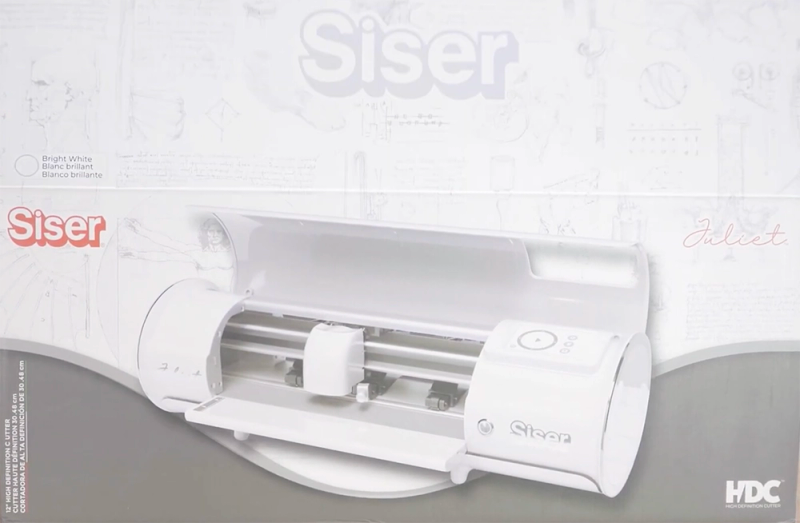
So what do you get with your fancy new vinyl cutter?
- Siser Juliet machine
- Blade Holder with 2 × 45° blades and 1 × 60° blade
- Marker Adapter
- 12 × 12 in High Tack Cutting Mat
- USB cable
- AC power adapter
- Sample EasyWeed and PS Film sheets
- Sample cover sheet
- Instruction manual
The two blade types are a nice touch. The 45° blade handles everyday vinyl and HTV. The 60° blade cuts at a steeper angle for more detailed work or slightly thicker materials.
Most craft cutters only include one blade out of the box.
Leonardo Design Studio
Leonardo is Siser's free design software, and it's come a long way since the Juliet launched.
We can’t pretend to be experts with this software, but from what we say it handles the basics well: designing from scratch, importing SVGs (free - no upgrade required), setting up Print & Cut jobs, and sending cuts to the machine over WiFi or USB.
The standout feature is the built-in Siser material library.
Select any Siser product and the software automatically configures the cut settings. There's also a growing library of pre-made designs and tutorial videos baked right into the app.
It's not as polished as Silhouette Studio and not as beginner-friendly as Design Space.
If you're coming from Cricut, expect a learning curve. And the lack of a mobile app is a big miss.
But… it's free! It works offline, and it imports SVGs without upselling you - which puts it ahead of Silhouette Studio's basic edition in that respect.
Is the Siser Juliet Worth Buying?
If you run a small vinyl or T-shirt business and Siser materials are your bread and butter, the Juliet is built specifically for you.
The speed is unmatched in the desktop cutter world, the material presets eliminate guesswork, and the wider matless cutting saves waste.
For that purpose alone, there’s a god chance you'll love it.
If you're a general crafter who wants to try a bit of everything - vinyl today, fabric tomorrow, chipboard next week - no, this probably isn't your machine. The 1mm material clearance and single blade holder keep it firmly in the vinyl/HTV/cardstock lane.
A Silhouette Cameo 5 or Cricut Maker 4 will give you far more flexibility down the road.
And if you're a beginner still figuring out what crafts you enjoy? We'd point you toward a Cricut or Silhouette first. The communities are larger, the tutorials are splashed all over YT, and the auto-blades are NOT to be taken for granted!.
The Juliet is a machine you graduate to once you know vinyl cutting is your thing.
Still not sure which cutter is right for you? Check out our Reviews section for detailed analysis of all the top-selling vinyl cutting machines.
Pros & Cons
What We Love
- ✓Class-leading 600 mm/s cutting speed - fastest we've tested
- ✓Pre-loaded cut settings for all Siser materials (easy for beginners)
- ✓13.5-inch matless cutting width
- ✓WiFi connectivity with no subscription
- ✓Built-in registration camera for Print & Cut
Watch Out For
- ✗Only 1mm material clearance severely limits material versatility
- ✗Manual blade adjustment - doh! - no auto-blade technology
- ✗No mobile app, no tablet support
- ✗Very small community and ecosystem
- ✗800 gf cutting force limits it to lighter materials only
Our Verdict
Excellent
The Siser Juliet is a specialist machine that does one thing better than anything else: cutting vinyl really fast. At 600 mm/s, it's over 50% faster than the Cameo and Cricut Maker, and it comes pre-loaded with Siser material presets - eliminating the guesswork that frustrates beginners on other machines. The wider 13.5-inch matless cutting and built-in Print & Cut camera round out a compelling package for small vinyl businesses. But the Juliet is definitely not a general craft cutter. Its 1mm material clearance rules out thick materials, the manual blade requires practice, there's no mobile app, and the community is still very small.
Specifications
| Spec | Detail |
|---|---|
| Colors | Silver/Grey |
| Connectivity | WiFi + USB cable |
| Cutting Force | 800 gf |
| Dimensions | 23.8 × 7.5 × 7.3 in (60.5 × 19 × 18.5 cm) |
| Material Clearance | Up to 1 mm |
| Materials | 50+ (est) |
| Max Cut Size (Mat) | 12 × 24 in (30 cm × 60 cm) |
| Max Cut Size (Matless) | 13.5 × 180 in (34.3 cm × 457 cm / 15 ft) |
| Max Cut Speed | 600 mm/s (23.6 in/s); Max movement speed: 700 mm/s |
| Print Then Cut | Yes |
| Software | Leonardo Design Studio (free with purchase; desktop app for Windows and Mac). Optional Leonardo PRO subscription |
| Weight | 15.4 lbs (7 kg) |