Best Fabric Cutting Machines in 2026: Quilting, Sewing & Leather
Our latest rankings of the best machines for cutting fabric - from unbacked quilting cotton to leather and felt. Rotary Blade cutters, stabilised fabric options, and manual die cutters tested and compared.
By Marnie Hofstadt·Updated March 18, 2026
We may receive commissions on purchases made from our links. Learn more
Some people say cutting fabric by hand is meditative - yeah, until your hundredth hexagon! If you're quilting, sewing garments, cutting appliqué, or making fabric crafts, a dedicated cutting machine saves hours of work while delivering precision that scissors and rotary cutters simply can't match.
We've ranked the best fabric cutting machines based on what matters to sewists and quilters: unbacked fabric cutting, material range, pattern library, ease of use with fabric crafting, and value. Not every vinyl cutter we’ve covered can handle fabric… these are the ones that can!
Top Pick
#1 — Top Pick
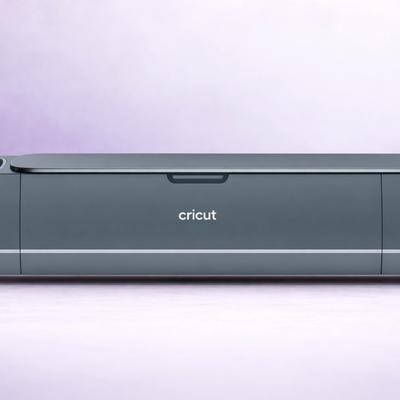
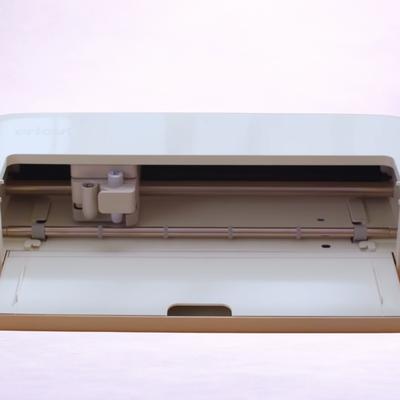
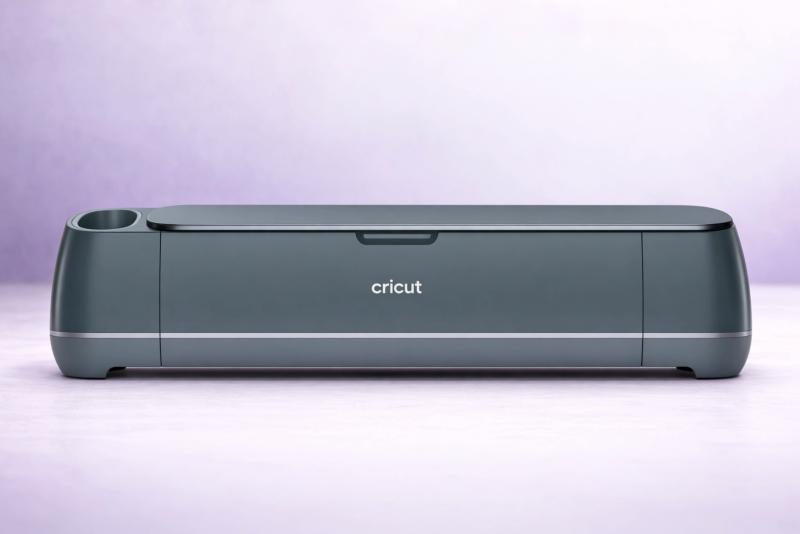
Cricut Maker 4
The Maker 4 is purpose-built for fabric. Its Rotary Blade cuts unbacked cotton, silk, denim, and felt without any stabiliser - just place the fabric on a FabricGrip mat and away yougo. The Knife Blade handles leather and heavy canvas. With 4,000 gf of cutting force and Cricut's enormous library of sewing patterns in Design Space, it's the most complete fabric cutting solution available.
4.8
★★★★★★★★★★
Exceptional
Materials 300+
Cutting Force 4,000 gf (4 kgf) via Adaptive Tool System
Connectivity Bluetooth + USB-C (cable included)
Software Cricut Design Space (free; desktop + mobile app) with optional Cricut Access subscription.
✓4,000 gf cutting force handles leather, heavy canvas, and bonded fabrics
✓Cricut's sewing pattern library includes hundreds of garment and quilt designs
✓Washable FabricGrip mat holds fabric securely without residue
Watch Out For
✗The most expensive option on this list
✗Rotary Blade is sold separately - adds to initial cost
Runner Up
#2 — Runner Up
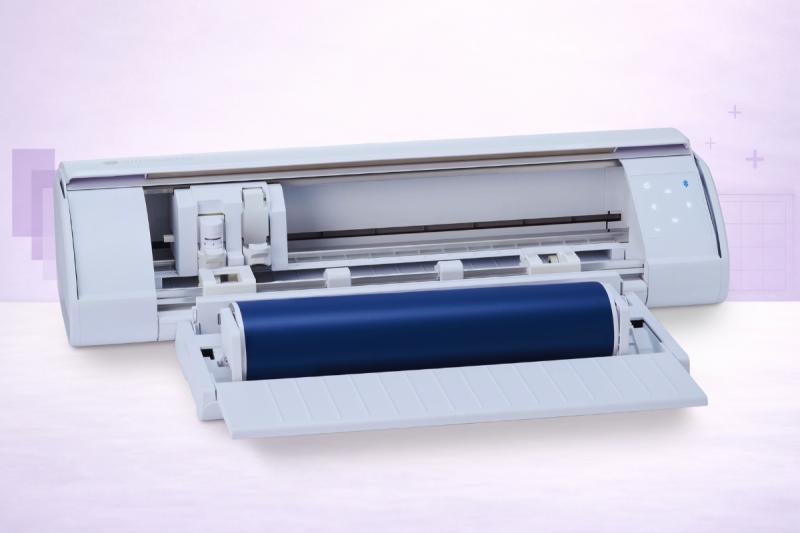
Silhouette Cameo 5
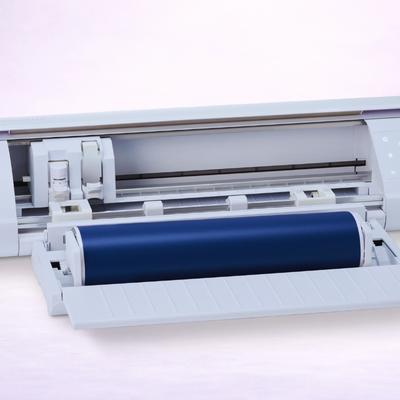
The Cameo 5's Rotary Blade delivers the same unbacked fabric cutting as the Maker 4, backed by 5,000 gf of force - the highest of any home cutter. It handles cotton, felt, leather, wool, and crepe paper all without stabiliser. The bonus: Silhouette Studio is subscription-free and works offline, and you can use any brand of fabric stabiliser or interfacing without material lock-in.
Software Silhouette Studio (free basic edition; Designer Edition $49.99; Designer Edition Plus $74.99; Business Edition $99.99). Also: Silhouette Go (mobile app), Silhouette Web (browser-based, optional).
✓No subscription required - Silhouette Studio works fully offline
✓Open material ecosystem - use any brand of stabiliser, interfacing, or backed fabric
Watch Out For
✗Fewer built-in sewing patterns than Cricut's library
✗Steeper learning curve for fabric projects in Silhouette Studio
Best Value
#3 — Best Value
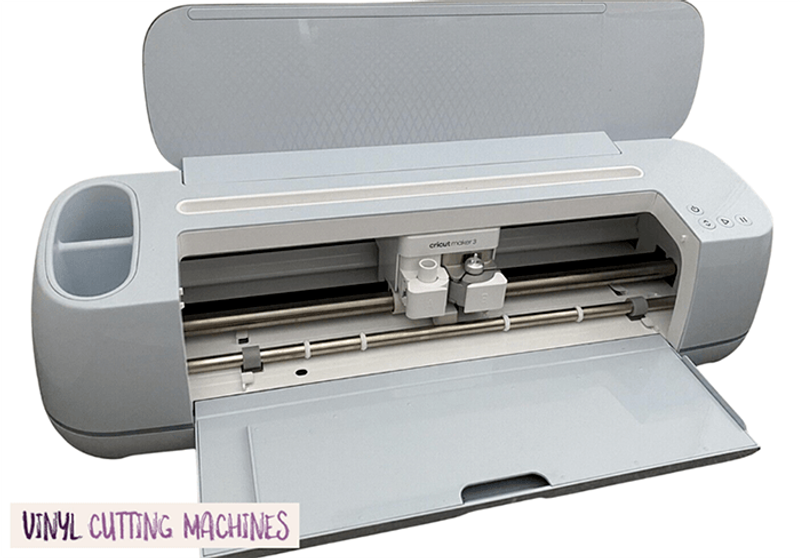
Cricut Maker 3
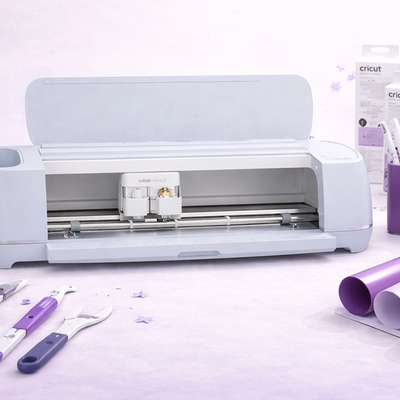
The Maker 3 shares the same 4,000 gf Adaptive Tool System as the Maker 4, including full Rotary Blade and Knife Blade compatibility. For fabric cutting specifically, it performs identically. Since the Maker 4 launched, the Maker 3 is often available at a reduced price... making it an excellent value pick if you want Maker-class fabric cutting without the Maker 4 price tag.
4.5
★★★★★★★★★★
Exceptional
Materials 300+
Cutting Force 4kg (4000 gf)
Connectivity Bluetooth, USB
Software Cricut Design Space (free; desktop + mobile app) with optional Cricut Access subscription
✓Identical Rotary Blade and Knife Blade performance to the Maker 4
✓Same 4,000 gf cutting force - handles every fabric the Maker 4 can
✓Often discounted since the Maker 4 launch
✓Full access to Cricut's sewing pattern library in Design Space
Watch Out For
✗Larger footprint than the newer Maker 4
✗Being phased out - availability may become limited over time
#4 — Brother
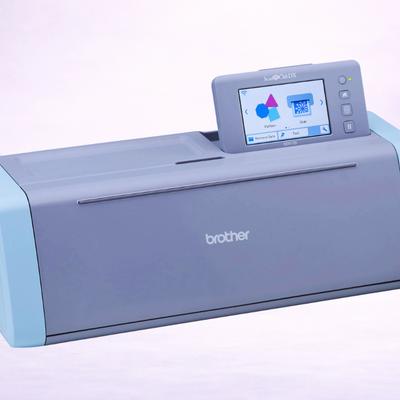
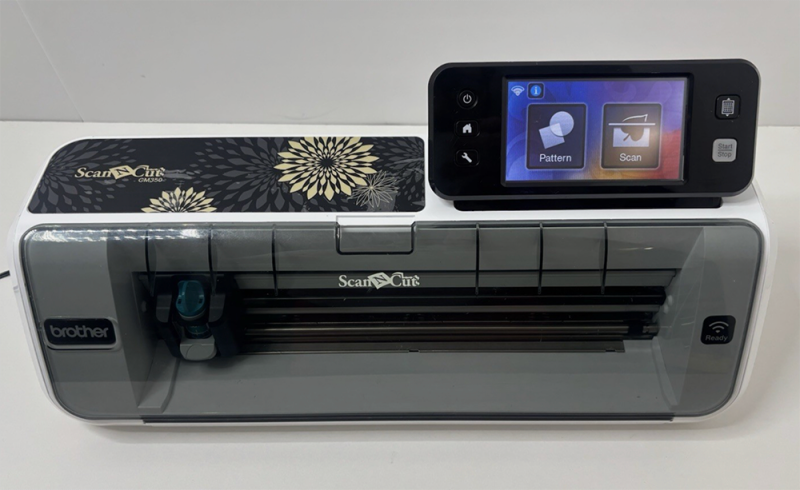
Brother ScanNCut SDX125
The ScanNCut's built-in scanner is really useful for fabric crafters. You can scan a paper pattern, appliqué template, or hand-drawn design and cut the fabric directly... with no digitising required. The auto-blade adjusts to fabric thickness automatically, and the machine handles bonded and stabilised fabrics with ease. It won't cut unbacked fabric like a Rotary Blade machine, but for quilting appliqué and stabilised fabric projects, it's a clever option!
4.3
★★★★★★★★★★
Excellent
Materials 100+ (est)
Cutting Force Not disclosed - but can cut 3mm-thick.
✓Built-in scanner lets you scan paper patterns and cut fabric to match
✓Auto-blade adjusts to fabric thickness - minimal manual setup
✓No subscription - CanvasWorkspace is free
✓Excellent for quilting appliqué and stabilised fabric cutting
Watch Out For
✗No Rotary Blade - can't cut unbacked or stretchy fabrics
✗Limited to bonded or stabilised fabric only
Best for Appliqué
#5 — Best for Appliqué
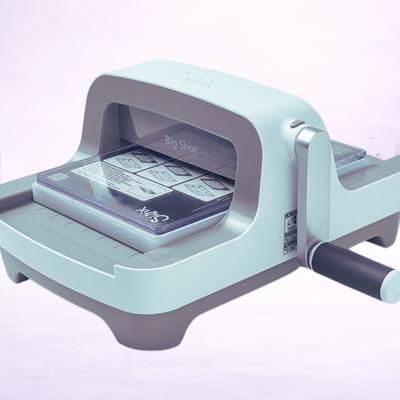
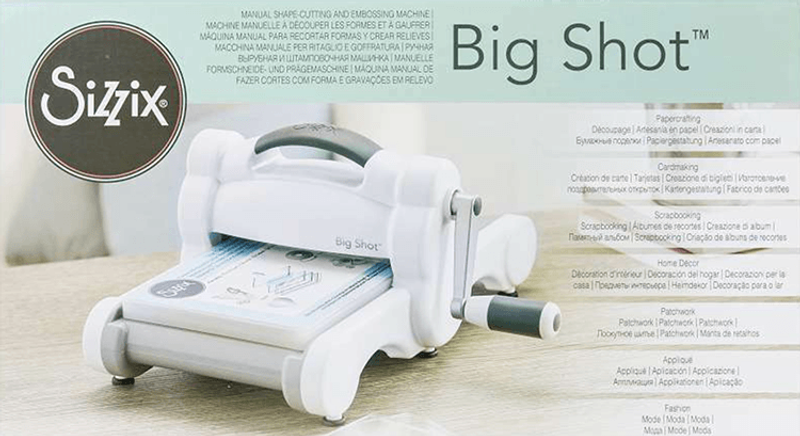
Sizzix Big Shot
The Sizzix Big Shot is a completely different beast: a manual die cutter that uses steel-rule dies and a hand crank. For quilters who cut the same shapes repeatedly - hexagons, squares, appliqué shapes - it's fast, precise, and dead simple. You just buy the die, crank the handle, get perfectly identical fabric pieces every time. It won't cut custom shapes or intricate designs like an electronic cutter, but for repetitive quilt piecing, we love it.
✓No electricity, software, or computer required - pure mechanical simplicity
✓Steel-rule dies produce perfectly identical pieces every time
✓Huge library of Sizzix Bigz dies including quilt-specific shapes
✓Cuts through multiple layers of fabric at once - fast batch cutting
Watch Out For
✗Limited to shapes you have dies for - no custom or intricate designs
✗Dies are an ongoing cost and take up storage space
✗Manual cranking is tiring for large production runs
Budget Option
#6 — Budget Option
Cricut Explore 5
Straight up: the Explore 5 can't cut unbacked fabric - no Rotary Blade support. But it handles bonded fabric (fabric with iron-on stabiliser applied) and HTV transfers for garments perfectly well. If your fabric projects are mostly iron-on appliqué, HTV T-shirts, and stabilised fabric pieces rather than quilting from raw yardage, the Explore 5 does the job at a lower price than the fancier Maker.
4.5
★★★★★★★★★★
Exceptional
Materials 100+
Cutting Force 400 gf
Connectivity Bluetooth + USB-C
Software Cricut Design Space (free; desktop + mobile app) with optional Cricut Access subscription. New: Create AI feature for paid subscribers.
✗Limited to bonded/stabilised fabric only - not a quilter's go-to machine
Can a Vinyl Cutter Really Cut Fabric?
Yes - but not all of them, and not all fabric.
This is the single most important thing to understand when shopping for a fabric cutting machine.
There are three tiers of fabric capability:
Tier 1: Unbacked Fabric (Rotary Blade)
The maachines with a Rotary Blade can cut raw, unbacked fabric - cotton, silk, felt, denim, leather, wool, crepe. No stabiliser, no iron-on backing, no fuss.
How it works is the blade rolls across the fabric like a tiny pizza cutter, gripping and cutting without dragging or distorting the material.
If you’ve got an Explore, Portrait or Joy… your fabric cutting options are going to be much more limited.
Tier 2: Bonded/Stabilised Fabric (Standard Blade)
Machines with a standard fine-point blade CAN cut fabric that's been stabilised - either with iron-on backing, fusible interfacing, or fabric stabiliser applied to the back.
The stabiliser stops the fabric from shifting and gives the blade something firm to cut against.
It works quite well for appliqué, iron-on patches, and fabric labels.
Tier 3: Die-Cut Fabric (Manual Die Cutters)
Manual die cutters like the Sizzix Big Shot use steel-rule dies to punch through fabric mechanically using just pressure. They're limited to the shapes you own dies for, but they cut multiple layers at once and produce perfectly consistent pieces.
Quilters who cut hundreds of identical squares or hexagons loooove these.
Unbacked Fabric Needs a Rotary Blade
If you need to cut unbacked cotton, silk, or stretchy knits for quilting or garment sewing, you need a Rotary Blade machine (Maker 4, Maker 3, or Cameo 5). Standard blade machines like the Explore 5 or Joy will drag and distort unbacked fabric. Don't learn this the hard way on expensive yardage!!
Cricut vs Silhouette for Fabric
One of the questions we routinely get asked when it comes to fabric cutting is, why not just use scissors instead?
Chuckle, chuckle.
Scissors simply won’t get you the precision of using a specialist craft cutter. Not only do you need a pair of incredibly sharp and small scissors, you also need experienced hand control to match the accuracy of a machine.
Cricut Maker: The Quilter's Favourite
The Cricut Maker line has been the go-to for fabric crafters since the original Maker launched the Rotary Blade in 2017.
There are hundreds of YouTube tutorials covering fabric projects made with the Maker - and we’ve even published some on VCM!
Why is it so effective?
The Adaptive Tool System delivers precise, consistent cuts across the full range of fabrics, and Design Space has a useful library of sewing patterns - so you’ve got everything from quilt blocks to garment patterns to stuffed animals.
The FabricGrip mat (pink) is specifically designed to hold fabric firmly without leaving adhesive residue.
Cricut also sells bonded fabric with stabiliser pre-applied… which simplifies the workflow for appliqué and iron-on projects.
Silhouette Cameo 5: Power and Freedom
The Cameo 5 comes at fabric cutting from a different angle: raw power.
At 5,000 gf, it has more cutting force than the Maker 4 (4,000 gf), which translates to cleaner cuts on heavy fabrics like denim, canvas, and leather.
The Rotary Blade (sold separately) handles unbacked fabric just as well as Cricut's.
Unfortunately, Silhouette Studio has fewer built-in sewing patterns than Design Space. If you design your own patterns or import SVGs from sewing pattern companies, this doesn't matter.
If you rely on a built-in pattern library, Cricut still has the edge. For now.
Brother ScanNCut: The Pattern Shortcut
We love this machine for many reasons, even if this is certainly not the main one!
The ScanNCut can't cut unbacked fabric, but its built-in scanner is a genuine superpower for quilters who work with paper patterns.
You just scan your template, place stabilised fabric on the mat, and the machine cuts to match. For appliqué work especially, this is a really neat trick.
Essential Fabric Cutting Accessories
New to fabric cutting machines?
These are some of the essentials you will need to become familiar with:
Fabric Mats
Every machine uses a different mat for fabric.
Cricut's FabricGrip mat has a lighter adhesive specifically for fabric. Silhouette's standard mat works with a fabric-specific adhesive setting. Brother includes a fabric mat option. The key is to use the right mat for the right project.
A standard-grip mat will leave adhesive residue on your fabric; a fabric-grip mat won't, etc etc.
Stabiliser and Interfacing
For machines without a Rotary Blade, you'll need to stabilise your fabric before cutting. Or things will probably go horribly wrong.
Options include heat-away stabiliser (irons off after cutting), wash-away stabiliser (dissolves in water), and fusible interfacing (permanent).
The choice depends on your end use really… temporary stabiliser for garment pieces, permanent interfacing for appliqué.
Rotary Blade vs Bonded Fabric Blade
So the Rotary Blade is a rolling cutter - it grips and cuts without dragging.
It's the only blade that can handle raw, unbacked fabric. The standard fine-point blade is actually a drag blade, meaning it scores through material by literally dragging a sharp point.
It works fair enough on bonded fabric but will distort anything stretchy or loose. If fabric is a priority, we say: budget for the Rotary Blade.
Fabric Cutting Tip
When cutting fabric on any machine, always do a test cut on a scrap piece first. Fabric behaves differently from vinyl and paper... the blade depth, pressure, and speed settings that work for cardstock will shred delicate cotton. Start with lower pressure and increase gradually.
What Can You Make with a Fabric Cutter?
A fabric cutting machine opens up projects that are tedious or impossible to cut by hand with consistent accuracy:
Quilt piecing - Cut hundreds of identical squares, triangles, hexagons, and curved pieces in a fraction of the time. The machine's precision means pieces fit together perfectly.
Appliqué - Cut intricate shapes from fabric for iron-on or sew-on appliqué. Letters, animals, flowers, logos… pretty much anything you can design, the machine can cut.
Garment pattern pieces - Cut pattern pieces from fabric rolls. This is especially useful for small, fiddly pieces that are hard to cut accurately with traditional scissors.
Felt crafts - Felt flowers, ornaments, masks, quiet book pages. Felt is one of the easiest fabrics for any machine to cut so even bonded-fabric-only machines handle it well.
Leather goods - Earrings, bookmarks, keychains, bag details. The Maker 4 and Cameo 5 both cut real and faux leather cleanly (with the right blade!).
HTV for garments - Heat transfer vinyl for T-shirts, tote bags, and baby onesies. Ever popular and easy to do. Every machine on this list handles HTV, even the ones that can't cut raw fabric.
Some Tips for Better Fabric Cuts
Before you go… a few tips:
Iron your fabric first - wrinkles cause uneven cuts and can confuse the machine's mat alignment. A flat piece of fabric is a clean-cutting piece of fabric.
Use a brayer to press fabric onto the mat - trust us, hands alone don't apply even pressure. A rubber brayer ensures the fabric is fully adhered to the mat with no bubbles or lifting.
Replace fabric mats regularly - they inevitably lose stickiness faster than standard mats. A mat that doesn't grip is a mat that ruins cuts. Clean with a lint roller between uses to get the most life out of a mat.
Mirror your appliqué designs - if you're cutting iron-on appliqué, the design needs to be mirrored before cutting since you'll flip it to apply. Most software has a mirror/flip option.
Store your Rotary Blade carefully - it's delicate and expensive, right?! Don't leave it installed between sessions. Store it in its protective cap to keep the edge sharp.
Use masking tape for stubborn fabrics - if lightweight fabric isn't sticking to the mat, a few small pieces of masking tape around the edges will hold it in place without leaving residue.
What are your fave machines for cutting fabric?
Let us know your thoughts!
Frequently Asked Questions
Yes but only bonded or stabilised fabric - it can't manage raw, unbacked fabric. You'll need to apply iron-on stabiliser or fusible interfacing to the back of the fabric before cutting. For unbacked fabric cutting (quilting cotton, silk, felt without stabiliser), you need a Cricut Maker with the Rotary Blade.
The Cricut Maker 4 is our top pick for quilters. The Rotary Blade cuts unbacked cotton and quilting fabric beautifully, and Design Space has a large library of quilt block patterns. The Silhouette Cameo 5 is a strong alternative. For quilters who just need to cut repeated shapes (squares, hexagons), the Sizzix Big Shot is fast and dead simple.
Yes. Standard-grip cutting mats will leave adhesive residue on fabric. Use a fabric-specific mat: Cricut's FabricGrip mat, or your machine's equivalent fabric-tack mat. These have a lighter adhesive that holds fabric securely during cutting but releases cleanly without residue.
The Cricut Maker 4, Maker 3, and Silhouette Cameo 5 can all cut genuine and faux leather. Use the Knife Blade (Cricut) or the 3mm Kraft Blade (Silhouette) for thicker leather, or the Rotary Blade or Deep Cutting Tool for thinner leather and faux leather. Leather earrings, bookmarks, and bag details are popular projects.
A Rotary Blade rolls across fabric like a tiny pizza cutter, gripping and cutting without dragging or distorting the material. A standard fine-point blade drags through material, which works on stabilised fabric... but will pull, stretch, and ruin unbacked or stretchy fabrics. If you're cutting raw fabric, you need the Rotary Blade.
For specific use cases, absolutely. The Big Shot does really well at cutting repeated identical shapes from fabric - quilt squares, hexagons, appliqué shapes. Steel-rule Bigz dies cut cleanly through multiple layers at once. The limitation is that you can only cut shapes you have dies for... no custom or intricate designs. Think of it as the best tool for repetitive cutting, not creative design.
Get the best vinyl cutting tips & deals
Join 5,000+ crafters who get our weekly newsletter with expert tips, project ideas, and exclusive deals.