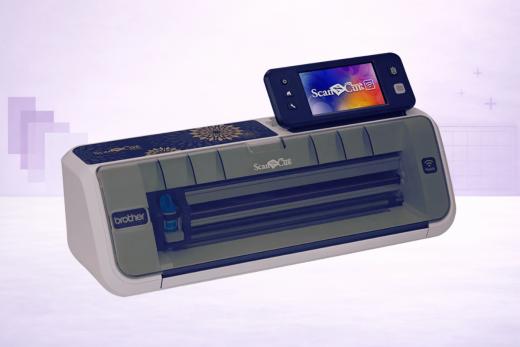
The Brother ScanNCut2 is an electronic cutting machine that does not require any cartridges, dies or monthly subscriptions.
Released in September 2015, the ScanNCut2 is Brother's next generation upgrade to the original ScanNCut. It comes in two separate models, which have a significant price difference between them (around $200).
This is an alternative to other similar vinyl cutting machines, such as the Cricut Explore Air 2 and the Silhouette Cameo 4. The ScanNCut is very popular with artsy craft fans, particularly those who like to design on paper or in scrapbooks.
Interested in buying this machine?
Here's what you need to know with our comprehensive Brother ScanNCut2 review.
Introducing Brother ScanNCut2
"See It. Scan It. Cut It."
That's the motto of the Brother ScanNCut machines.
They are famous for being the only vinyl cutter to offer built-in scanning.
New Features of ScanNCut2
So, how does ScanNCut2 improve on its predecessor?
A Brand New Larger Screen
The cutter comes with a brand new LCD touchscreen that is 30% larger than the previous model.
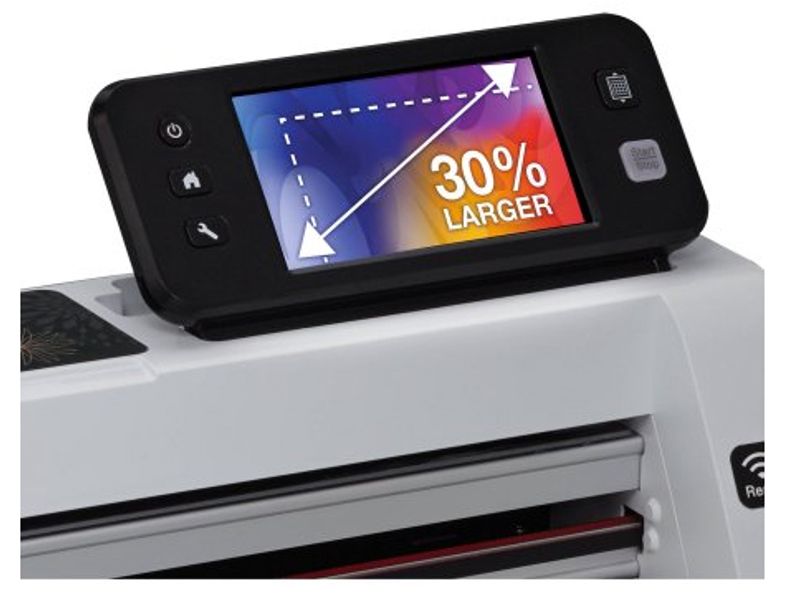
A welcome upgrade that makes tinkering with your designs simpler.
It Supports Wireless Design Transfer
No more tripping over cables or resigning yourself to life next-to-the-computer.
The wireless support allows you to send files from the ScanNCut Canvas software straight to the machine. But the great thing is you can do this on your tablet, too.
Also Supports Direct Connection via USB Cable
If, for convenience's sake, you do want to transfer designs direct from ScanNCut Canvas via a USB cable, you can do this.
Downside is you'll have to buy the USB cable separately. It's not included (boo).
New Scanning Color Recognition
Choose between grayscale or RGB color mode when you scan designs.
Convert SVG Files Pain-Free
This was a chore in the past.
With the latest machine, you can import SVG files without having to go through any ugly conversions.
Brand New In-Built Designs
As you'd expect, there's a raft of brand new in-built designs that can help you get up and running on the machine without having to learn the ropes via custom designs and scanning.
Some of them are good, some of them are bad.
How many designs you receive will depend on which model of the ScanNCut2 you purchase.
Yes, there are two of them: CM350 and CM650W.
Some premium features are only available on the CM650W model, which we will explain in detail below.
Two of the main premium inclusions are larger scanning capability (12 by 24 inches) and support for PES files.
ScanNCutCanvas Software
ScanNCutCanvas is cloud-based application where you can edit, resize, and design your own cut data.
Unlike some of the rival cutting brands and their software offerings, ScanNCutCanvas is completely free. There are no monthly subscriptions attached.
This tool lets you convert SVG files in to the FCM format that ScanNCut uses.
It comes with various tutorials, templates and step-by-step instructions to have you launching your own projects in no time.
Many users have remarked that ScanNCutCanvas isn't as user-friendly (or as comprehensive) as the software offered by, say, Cricut or Silhouette.
This is a valid criticism.
Experienced designers will prefer using their own professional-grade software to carry out intricate work (Illustrator, CorelDraw, etc), before sending the designs over to ScanNCutCanvas for conversion and to be fed in to the machine.
One thing we love about this software is that it is suitable for tablets since it is based in the cloud.
If doodling on the sofa is your idea of work, you'll love this feature.
Materials and Cutting
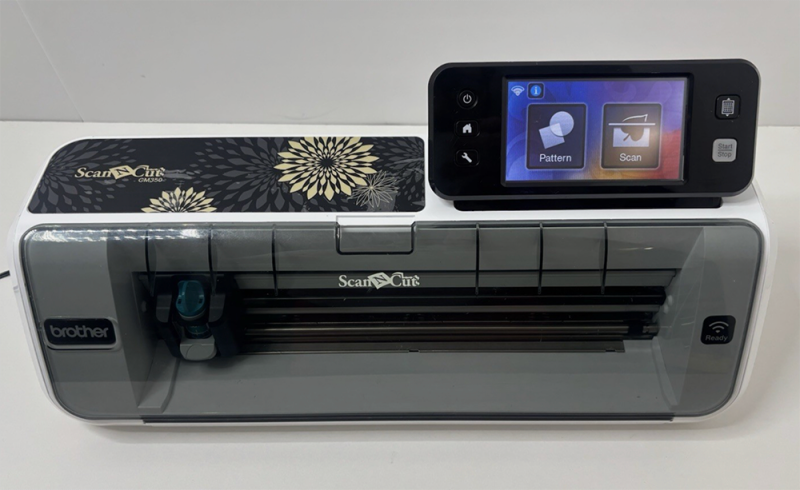
The ScanNCut2 has a maximum cutting width of 11.7″.
It uses a German carbide blade which it boasts has excellent 'Japan design quality'.
(We're not sure how a German blade produces Japanese design quality!)
From what we've seen, it's a solid cutter that can handle materials up to a depth of 2mm in thickness. You can adjust your pressure settings and cut speed via the display screen for maximum performance.
The machine is traditionally very popular with seamstresses, tailors, quilters and sewers.
It works well with light fabrics and has good precision as well as good consistency.
ScanNCut2 also lets you add seam allowances (in quarter inch increments) to help piece together fabric pieces for quilts.
ScanNCut2 CM350 vs. CM650W
As we mentioned, there are two versions of the new ScanNCut: a CM350 model, and a CM650W model.
What's the difference?
The 'mainstream' machine is the CM350. This is what you'll find stocked on Amazon or at the largest retailers.
The CM650W is a premium machine that has several new features targeted at hardcore cutting enthusiasts who are willing to pay extra for all the bells and whistles.
Should I buy the CM350 or the CM650W?
Brother claims that the CM650W model adds an extra $550 in additional value over the CM350 model.
A closer look at their figures, however, and it's clear that $426 of this extra value is assigned to the extra built-in one point designs: it has 962 versus the ordinary model's 531.
Would you pay an extra $200 for a superior selection of built-in designs?
If so, then go right ahead.
But if you are mainly interested in cutting your own designs, then we see little reason to upgrade to the CM650W model.
Unless… you want to take advantage of the CM650W's 24 inch scan feature, or its integration with PES files. Curiously Brother has assigned no 'extra value' to these features, whilst instead talking about the freebies of erasable pen sets instead.
Some of the extra features included with the CM650W are certainly worth having, but unless you want all of them, it's probably going to be more cost effective to simply buy the CM350 plus any individual extras as and when you need them.
The CM650W is considered a specialist model.
It's difficult to find in stores and you will have to go through one of Brother's authorized dealers to buy it. Stock of the CM350 is much more widespread.
Amazon only stocks the ScanNCut2 CM350, including an option that throws in a useful Rhinestone Trial kit.
Brother ScanNCut vs. Silhouette Cameo vs. Cricut Explore
While it is easy to compare the ScanNCut with Silhouette's Cameo and Cricut's Explore Air, there are some obvious differences between the machines.
The ScanNCut2 is more of a standalone machine. It doesn't come with the same sophisticated software as the Cricut or Silhouette machines. The emphasis is on loading in your existing designs, or using pre-set designs, or making use of the scanning facility.
From a purely software "What can I do with this machine?" perspective, the Cameo and Explore are more flexible.
However, they do not provide the built-in 300 DPI scanner which many would argue is the ScanNCut's greatest quality. Particularly for those who like to design on paper instead of on screens.
The ability to scan designs and automatically create cut lines will be appealing to many — although it does come with a learning curve.
The ScanNCut2 is a cutting machine that does not require cartridges, dies or a monthly subscription. Neither does it require a PC for use.
While it might lack some of the features and integration of the illustrious Silhouette and Cricut brands, it makes up for that with a superb all-in-one solution for anybody with handmade drawings or scrapbook designs.
ScanNCut2 Pros
Here are some good reasons to buy the ScanNCut 2:
- It's the only machine with built-in scanning — Much of the ScanNCut2's appeal is based around the ability to scan and go. Great for scrapbookers.
- Multi-device and wireless support — We love being able to design on our tablets and send the work straight to our machine.
- Excellent precision cuts — It's reliable and consistent.
- Software is free — While ScanNCutCanvas is pretty basic, it is free and does not require a subscription.
ScanNCut2 Cons
And here are some good reasons to consider other vinyl cutters:
- Limited for vinyl cutting — If you are here to cut vinyl, you will be sacrificing a lot of capacity in terms of working area. The ScanNCut2 can cut up to a maximum of 12″ x 24″, compared to Silhouette's Cameo mammoth 12″ x 120″.
- ScanNCutCanvas software is basic — Adobe Illustrator or Corel Draw it is not.
- Slightly more expensive — The Brother cutters are around 10-20% more expensive than the top Silhouette or Cricut machines, which often have better bundle deals on sale.
Our Verdict
We think users will opt for or against the ScanNCut2 based on its primary feature; that around which its entire brand is built — the ability to scan your designs.
If you are the type of designer who loves drawing on paper, or in scrapbooks, then you'll really appreciate the ability to feed those designs straight in to a great performance cutter.
Likewise, if you are a seamstress, tailor, quilter or sewer, you'll love the flexibility of the ScanNCut2 for dealing with fabrics.
If you are mostly a software based designer, or somebody who needs larger cuts than the ScanNCut can handle (a small business or commercial cutter, for example), then we'd recommend checking our complete vinyl cutter guide for some more suitable options.
What do you think of Brother's ScanNCut2?
Better than the Cameo and Explore Air?
For a detailed breakdown of how they compare, check out our Best Vinyl Cutters comparison. Also, don't forget to visit our Reviews portal for more excellent machines.
Pros & Cons
What We Love
- ✓Built-in 300 DPI scanner let's you scan anything and cut it
- ✓Fully standalone operation (no PC required)
- ✓No subscription, no cartridges, no ongoing fees
- ✓Includes seam allowance and quilting features for sewists
- ✓SVG file import — use designs from anywhere
Watch Out For
- ✗Legacy hardware now superseded by the SDX series
- ✗Slow operation is frustrating
- ✗No matless cutting - every project requires a mat
- ✗WiFi requires a separate activation card
- ✗Small support ecosystem
Our Verdict
Very Good
The Brother ScanNCut2 is the only craft cutter with a built-in 300 DPI scanner. So if you design on paper, work with scrapbooks, or want to scan hand-drawn artwork directly into cut lines, nothing else comes close. It's also a strong choice for quilters and sewists thanks to precise fabric cutting and seam allowance support. That said, it has a smaller maximum cut area (12"x24" versus the Cameo's potential 10 feet), and basic software that can't really match Silhouette Studio or even Design Space. For scan-first crafters, it's worth considering - for everyone else, the Cameo 4 or Explore 3 offer more cutting flexibility for less money.
Specifications
| Spec | Detail |
|---|---|
| Colors | White/Grey |
| Connectivity | USB port (for data transfer to/from USB stick) + WiFi (wireless network connectivity, requires ScanNCut Online Activation Card |
| Cutting Force | Moderate (exact specs undisclosed) |
| Dimensions | 23.4 × 11 × 11.1 in |
| Fabric Cutting | Yes |
| Material Clearance | Up to 2mm |
| Materials | 100+ |
| Max Cut Size (Mat) | ~12 × 12 in (w/ included mat) |
| Max Cut Size (Matless) | Requires mat |
| Max Cut Speed | Fairly slow (exact specs undisclosed) |
| Print Then Cut | Yes |
| Software | CanvasWorkspace (free, web-based, no subscription). Machine also operates standalone with on-screen editing |
| Weight | 8.6 lbs (3.9 kg) |