Best Cheap Vinyl Cutters in 2026: Affordable Machines That Don't Compromise
You don't need to spend big to start crafting. We've ranked the best-value cutting machines that over-deliver. These are the cutters offering the best tech at the best prices.
By Steph Osborn·Updated March 18, 2026
We may receive commissions on purchases made from our links. Learn more
Some of the most capable machines on the market are also among the most affordable - especially in 2026, with new models driving down the price of both current and last-generation cutters.
We've ranked these machines by overall value, not just the retail price. A cheap machine that frustrates you into quitting isn't a bargain. A slightly pricier machine that you actually enjoy using and that grows with your skills is. These are the cutters recommend when somebody asks: "What should I buy if I'm on a budget?"
Best Overall Value
#1 — Best Overall Value
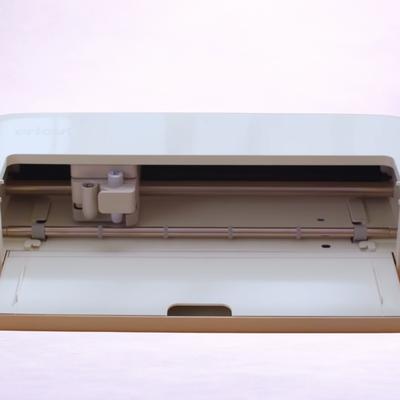
Cricut Explore 5
The Explore 5 is the consensus best-value cutter in the crafting community right now. It's the cheapest full-size 12-inch Cricut ever at launch, yet it cuts 100+ materials, supports Smart Materials for matless cuts up to 12 feet, does Print Then Cut, and comes with Design Space's new Guided Flows and Create AI. You get the same cutting quality as machines that cost significantly more - you just don't get the Maker's heavy-material force. For vinyl, HTV, cardstock, and stickers... it's everything you need.
4.5
★★★★★★★★★★
Exceptional
Materials 100+
Cutting Force 400 gf
Connectivity Bluetooth + USB-C
Software Cricut Design Space (free; desktop + mobile app) with optional Cricut Access subscription. New: Create AI feature for paid subscribers.
✓Same Print Then Cut quality and material range as the Maker for vinyl/paper/HTV
✓30% smaller than the Explore 4 - compact and easy to store
✓Generous bundles include materials for up to 270 projects
Watch Out For
✗No Rotary Blade - can't cut unbacked fabric
✗Tool swapping required for score-and-cut projects (single clamp)
Runner Up
#2 — Runner Up
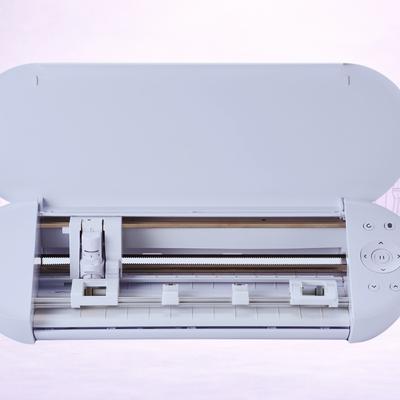
Silhouette Portrait 4
The Portrait 4 is one of the lowest-cost ways into quality cutting with zero ongoing subscription costs. At 8 inches wide, it handles standard vinyl, HTV, cardstock, and Print & Cut stickers. Silhouette Studio is free, works offline, and gives you real design control. For crafters who want to make decals, stickers, planner supplies, and small HTV projects without committing to a full-size machine, the Portrait 4 remains hard to beat on value.
4.4
★★★★★★★★★★
Excellent
Materials 100+
Cutting Force 210 gf (Tool Holder 1 only)
Connectivity USB 2.0 (Full-speed) + Bluetooth
Software Silhouette Studio (free basic edition; Designer Edition for SVG import). Also: Silhouette Go (mobile), Silhouette Web (browser-based).
✓No subscription - Silhouette Studio is completely free and works offline
✓Print & Cut for custom stickers with any brand of printable vinyl
✓Compact enough to fit in a desk drawer when not in use
Watch Out For
✗8-inch max width limits you to smaller projects
✗SVG import requires the paid Designer Edition software upgrade
New Release
#3 — New Release
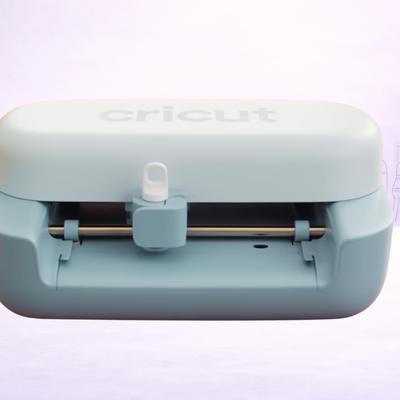
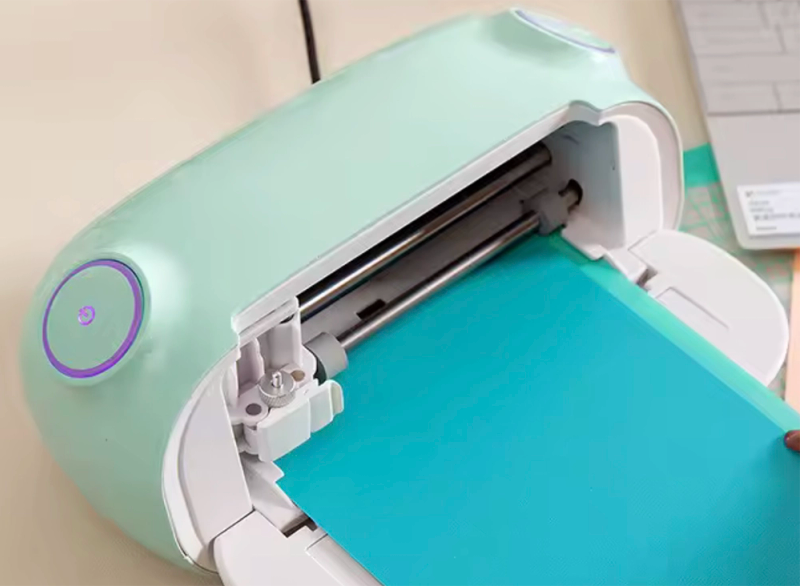
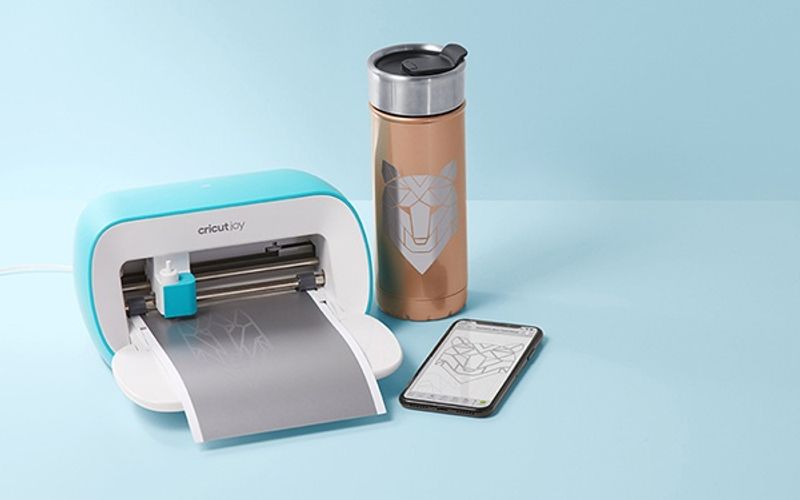
Cricut Joy 2
The Joy 2 is Cricut's smallest and most affordable machine. It cuts vinyl, HTV, cardstock, and Smart Materials, and its compact size makes it the easiest cutter to live with. The only problem is the 5.5-inch max cut width, which limits you to smaller projects: labels, mugs, card inserts, small decals. But if those are your projects, the Joy 2 does them beautifully at the lowest Cricut price point.
4.4
★★★★★★★★★★
Excellent
Materials 75+
Cutting Force Not disclosed - lower than the Explore's 400 gf.
Connectivity Bluetooth only - no USB cable connection
Software Cricut Design Space (free; desktop + mobile app) with optional Cricut Access subscription. New: Create AI (paid subscribers only)
✓Ultra-compact - fits on a bookshelf or in a drawer
✓Smart Materials for matless cutting straight out of the box
✓Full Design Space access with the same templates as larger machines
Watch Out For
✗5.5-inch max cut width - no full-size projects
✗No Print Then Cut - can't make full-colour stickers
#4 — Cricut
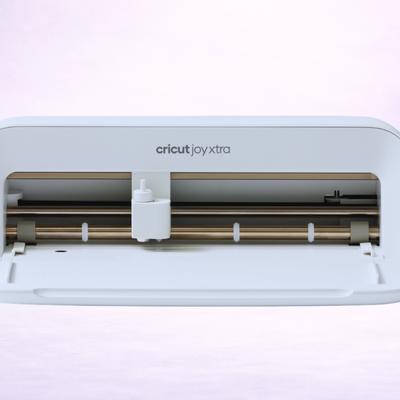
Cricut Joy Xtra
The Joy Xtra fills the gap between the Joy 2 and the Explore 5. It cuts up to 8.5 inches wide (letter-size sheets) and - crucially - supports Print Then Cut for custom stickers. If stickers are your main thing and you don't need a full 12-inch cutter, the Joy Xtra is the most affordable Cricut with this feature. It's a focused tool rather than a do-everything machine, and that focus keeps the price down.
4.3
★★★★★★★★★★
Excellent
Materials 50+
Cutting Force Not disclosed - less than the Explore's 400 gf
Connectivity Bluetooth only - no USB cable connection
Software Cricut Design Space (free; desktop + mobile app) with optional Cricut Access subscription
✓Print Then Cut at a lower price than any full-size Cricut
✓8.5-inch width covers standard letter-size sticker sheets
✓Compact and portable - great for craft fairs and travel
✓Same Design Space sticker templates as the Maker and Explore
Watch Out For
✗No scoring, foiling, or advanced tools - cuts and draws only
✗8.5-inch limit still rules out larger vinyl projects
Best Manual Option
#5 — Best Manual Option
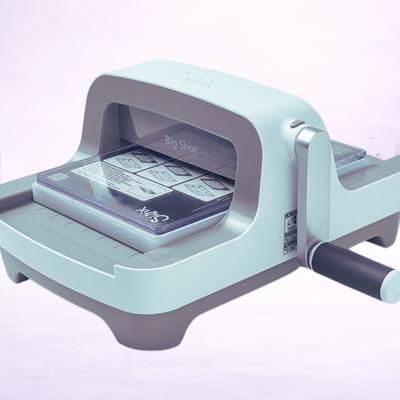
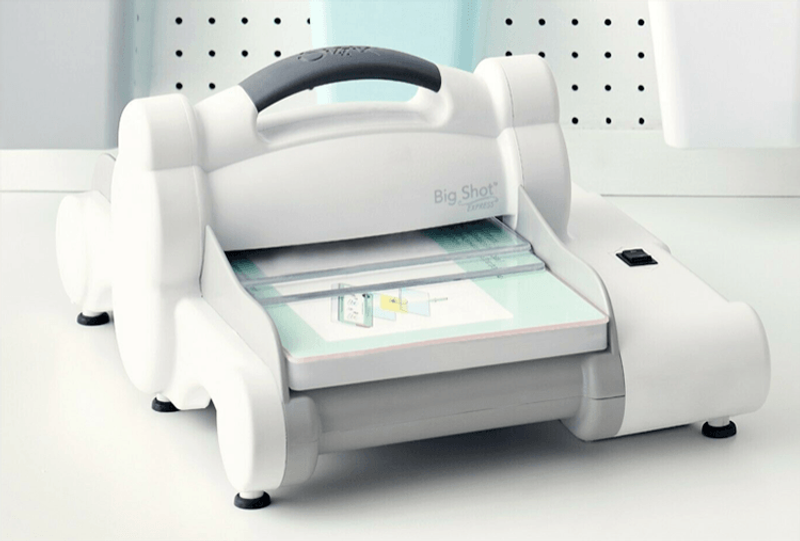
Sizzix Big Shot
The Big Shot is an absolute classic: a fully manual die cutter with zero technology. No software, no computer, no Bluetooth, no subscription. Buy a die, crank the handle, get a perfect cut. For crafters who want to make cards, scrapbook embellishments, and fabric shapes without touching a screen, it's wonderfully simple. There's a vast library of Sizzix dies available - the machine has been going strong for 20 years!
✓No electricity, software, or computer required - it's super simple
✓Huge library of dies for every craft: cards, scrapbooking, quilting, mixed media
✓Cuts through multiple layers including fabric, felt, and thin leather
✓No subscription, no accounts, no cloud - you own it forever
Watch Out For
✗Limited to shapes you have dies for - no custom designs
✗Dies are an ongoing expense and take up storage space
✗Manual cranking is tiring for large batches
Legacy Bargain
#6 — Legacy Bargain
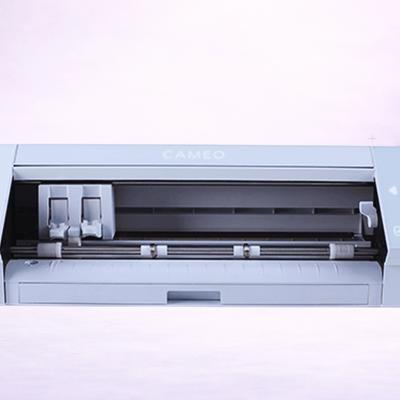
Silhouette Cameo 4
The Cameo 4 is Silhouette's previous flagship, and now that the Cameo 5 is out, we often see it available at steep discounts. You're getting a 12-inch cutter with 5,000 gf of force, dual tool holders, Rotary Blade support, and matless cutting with any lined material... all subscription-free. The Cameo 5 is faster and quieter, but the Cameo 4 still delivers a premium cutting performance. If you spot one on sale, it's arguably the best value-for-capability ratio on this list.
✓Full 12-inch flagship cutting at a fraction of the Cameo 5's price
✓5,000 gf cutting force - handles everything including leather and thick cardstock
✓Rotary Blade support for unbacked fabric
✓No subscription - same free Silhouette Studio software
Watch Out For
✗Being phased out - availability varies and may be limited
✗Louder and slightly slower than the Cameo 5
✗No Electrostatic Mat support or Intelligent Path Technology
What Does "Budget" Actually Mean for Cutters?
As you’ve no doubt seen, the cutting machine market spans a wide range, and "budget" means different things to different people.
For some, it might mean picking up a second-hand cutter on the used market! Nothing wrong with that…
Here's how we think about it:
Entry-level - These are the most affordable machines designed for smaller projects and beginners. Think Cricut Joy 2, Silhouette Portrait 4. These typically cut fewer materials, have a narrower cutting width, and skip advanced features like Print Then Cut. But they're super capable for their intended use cases.
Best value - Machines that punch well above their price. The Cricut Explore 5 is the standout here, especially now Cricut has dropped the price - it's a full-size 12-inch cutter with Print Then Cut and Smart Materials support at the lowest Explore launch price ever. You're not really compromising on features; you're just not paying for Maker-level force.
Legacy bargains - Previous-generation machines (Silhouette Cameo 4, Cricut Explore 3) that are still excellent but have been discounted since their successors launched. These can offer the best capability-per-pound ratio if you find them on sale. And especially if you pick them up second-hand.
Budget Shopping Tip
Keep an eye on major retail events (Prime Day, Black Friday, back-to-school sales) and the launch windows for new machines. When Cricut or Silhouette releases a new model, the previous generation often drops in price significantly - sometimes to half the original MSRP. The Cameo 4 and Explore 3 are both benefiting from this right now!
Cheap vs Affordable: Machines to Avoid
If you base your decision solely on price, you’re probably going to get burned.
Why?
Because not every cheap cutter is a good buy.
There are a few traps to watch for at the low end of the market:
No-name Chinese cutters under $100 - These flood Amazon and AliExpress with impressive-sounding specs but they come with poor software, minimal support, and the quality (in some cases) is truly abysmal. The blade calibration is often unreliable, and good luck finding replacement parts or community help when something goes wrong.
Very old discontinued machines - A Cricut Explore Air 2 for a steep discount might seem tempting, but you may well hit software compatibility issues as Design Space evolves. We love those old machines, but it’s best to stick with cutters that are still actively supported.
Machines without Print Then Cut - If you want to make full-color stickers (and most beginners discover they do), make sure your machine supports Print Then Cut. The Cricut Joy doesn't have it, for example, which is a common buyer's regret.
Before You Buy a Bargain
If a deal looks too good to be true, check when the machine was released and whether it's still receiving software updates. A heavily discounted discontinued machine might save you money upfront... but cost you in frustration when the software stops being maintained.
The Hidden Costs of Cheap Cutting
The machine price is only part of the equation.
Budget carefully for these ongoing costs:
Materials
Vinyl, HTV, cardstock, and specialty materials are where the real spending happens. Something most of us are all too aware of!
A roll of decent adhesive vinyl runs a few pounds, and if you're crafting regularly, you'll go through several rolls a month. Buying in bulk from third-party sellers (rather than branded Cricut or Silhouette materials) is the single best way to keep costs down.
Blades
Blades, blades, blades.
Replacement blades are needed every few months depending on how heavily you use the machine. It’s not that they’re expensive individually, but they add up in the long run. Cricut and Silhouette both sell official replacement blades, and third-party compatible blades are widely available at lower prices.
Mats
Cutting mats lose their stickiness over time and need replacing. Standard-grip mats last longest; fabric mats wear out fastest.
Budget for a new mat every couple of months if you're cutting regularly. Cleaning mats with a lint roller or baby wipes extends their life significantly.
Software
Cricut Design Space is free with free SVG import.
Silhouette Studio is free but locks SVG import behind a paid upgrade. Neither requires a subscription to function - but Cricut Access and Silhouette's Design Store both offer optional paid libraries. You can craft perfectly well without them, especially if you source free SVGs from sites like SVG Cuts, Design Bundles, or Creative Fabrica.
Real Budget Advice
The biggest budget hack in crafting: buy a mid-range machine and save your money for materials. A cheap machine with expensive branded materials costs more in the long run than a solid machine with bulk third-party vinyl. The Explore 5 with Oracal 651 vinyl is a significantly better value proposition than a cheaper machine with Cricut-branded vinyl!
Full-Size vs Compact: Which Saves More?
It's tempting to buy the smallest, cheapest machine and upgrade later.
And yeah, sometimes that makes sense… but often it doesn't.
Here's what we’d recommend:
When Compact Makes Sense
You only make small projects - mugs, labels, phone cases, small decals
You have very limited space and need something that stores easily
You want to try cutting before committing to a larger machine
You primarily make stickers on letter-size sheets (Joy Xtra territory)
When Full-Size Is Worth the Extra
You want to make T-shirts with HTV - most adult designs need 10–12 inches of width
You want Print Then Cut for full-colour stickers on a standard 12-inch mat
You plan to sell your crafts - volume production is much faster on a 12-inch machine
You want to grow your skills without hitting a width ceiling within months
The price gap between the Cricut Joy 2 and the Explore 5 is actually relatively modest, but the capability gap is enormous.
If there's any chance you'll want to make larger projects, the Explore 5 is the smarter investment in our opinion - you'll avoid buying a compact cutter now and a full-size one in six months.
Our Recommendations by Use Case
"I just want to try crafting"
Start with something like the Silhouette Portrait 4 or Cricut Joy 2. Both are affordable enough that you won't feel guilty if crafting turns out not to be your thing, and capable enough to make real projects.
The Portrait 4 has a slight edge for its wider cut width and software reqs - but both are great little cutters.
"I want to make stickers and sell them"
The Cricut Explore 5 is the clear pick.
Print Then Cut on a full 12-inch mat, generous bundle options, and the largest tutorial community for learning the sticker workflow. It's the cheapest full-size Cricut with Print Then Cut.
"I want maximum capability for minimum spend"
Hunt for a discounted Silhouette Cameo 4. It's a flagship machine - 5,000 gf, dual tool holders, Rotary Blade for fabric, matless cutting with any material - at clearance prices now that the Cameo 5 is out.
If you find one, it's the most machine-per-pound on this entire list.
"I don't want anything digital"
Well, maybe the trusty old Sizzix Big Shot is for you.
No software, no computer, no Bluetooth, no learning curve… just a manual cutter that gets the job done. Buy dies for the shapes you want, crank the handle, and that’s it.
It's still the most satisfying budget craft tool for anyone who finds technology gets in the way of creating.
Frequently Asked Questions
The Silhouette Portrait 4 and Cricut Joy 2 are the most affordable machines we'd recommend. Both are capable, well-supported, and come from established brands with active communities. We'd steer clear of no-name cutters under the $100 mark... the software and support are usually poor. The juice is rarely worth the squeeze.
Yes - especially the Explore 5. It's the most affordable full-size Cricut Explore ever at launch and it doesn't cut corners on features. You get Print Then Cut, Smart Materials, 100+ material compatibility, and the full Design Space experience. The bundle options also mean you can start making projects immediately (without buying materials separately).
We think it can be a great strategy. The Silhouette Cameo 4 and Cricut Explore 3 are both excellent machines that have dropped in price since their successors launched (particularly the Explore 3 being two generations old). Just make sure the machine is still receiving software updates and that replacement blades and mats are readily available. Avoid anything that's been fully discontinued with no ongoing support.
The main recurring costs are materials (vinyl, HTV, cardstock), replacement blades (every few months), and cutting mats (every couple of months with regular use). Neither Cricut nor Silhouette requires a subscription to use the machine - subscriptions are optional and only unlock additional design libraries. Buying third-party materials in bulk is still the best way to keep costs low.
For some, yes. It depends on your projects. The Joy 2 cuts up to 5.5 inches wide, which is perfect for mugs, labels, small decals, and card inserts. It's too narrow for adult T-shirt designs (which usually need 10–12 inches) or full-size sticker sheets. If there's any chance you'll want to go bigger, the Explore 5 is a better long-term investment... albeit slightly pricier.
Absolutely! Many Etsy sticker shops, vinyl decal businesses, and HTV T-shirt sellers started with an Explore-class machine or a Portrait. The machine doesn't determine your product quality - your designs, materials, and finishing do. Start with a budget-friendly machine, reinvest your profits into better materials and eventually a higher-end machine if your business grows.
Get the best vinyl cutting tips & deals
Join 5,000+ crafters who get our weekly newsletter with expert tips, project ideas, and exclusive deals.