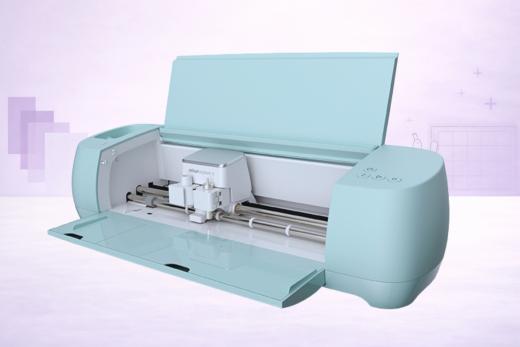
The Cricut Explore 3 is the latest cutter in the Explore Air suite of craft cutting machines.
Building on the success of the Cricut Explore Air 2 a few years ago, the Explore 3 is twice as fast and can cut up to 12 foot in one go — that's a big upgrade!
This is a fantastic mid-level machine that will suit most crafters down to the ground.
In our Cricut Explore 3 review below, we delve into everything you need to know about this cutter before you buy, including pros, cons and how it compares to its competitors.
Cricut Explore 3 Review
Key Features
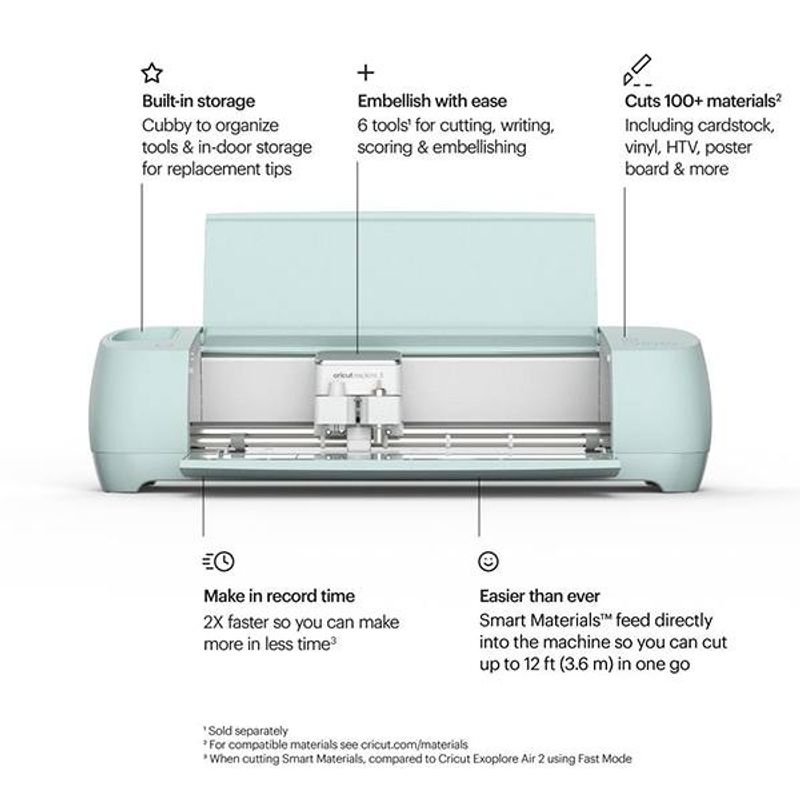
The Cricut Explore 3 occupies the perfect middle ground between the elite Cricut Maker 3 and the pocket-rocket Cricut Joy. It's the machine of choice for hobbyist crafters who want versatility, size and efficiency but without a big price tag.
Key Features
- Can cut 100+ materials
- Up to twice as fast as Cricut Explore Air 2 when using Smart Materials
- Compatible with Smart Materials for matless cutting and cuts up to 12 foot long
- Compatible with 6 tools for cutting, writing, scoring, foiling and embellishing
- Comes equipped with the premium Fine-Point Blade
Pros and Cons of the Cricut Explore 3
What We Love About The Machine
Significant Upgrade on the Explore Air 2
Thanks to its compatibility with Smart Materials, the Explore 3 is a significantly more sophisticated machine than its predecessor, the Explore Air 2.
Not only does it keep all the amazing features of that machine, but it's twice as fast (when using Smart Materials) and can cut up to 12 feet in length — that's a huge improvement over the 24″ that the Explore Air 2 offers.
If you're wondering whether to buy the Explore 3 or the Explore Air 2, it's a no-brainer to go for the latest machine!
Excellent Mid-Market Machine
What we love about the Explore 3 is that this is a true 'everyman' machine.
It sits perfectly between the tiny Cricut Joy and the pro-level Maker 3 in the Cricut line-up and is going to be the machine that has the most mass-market appeal.
It's really well priced so perfect for hobbyists and occasional users, but has the capabilities and versatility of a much bigger, costlier machine.
Even if you've never used a cutting machine before, you'll be able to jump straight into it with the Explore 3. The learning curve is very friendly and the machine itself is intuitive to use. Even Design Space (the software — more on this later) is well set up for beginners.
It's versatile without being overwhelming.
Good Looking and Intuitive Hardware
Cricut have always knocked it out of the park when it comes to the aesthetic design of their machines and the Explore 3 is certainly no exception.
It's sleek and compact but still with plenty of interior storage, and the mint pastel color scheme is fun and quirky without being jarring. It's going to look great on a craft table! We're sure we can expect other color releases as months go by, such is Cricut's style.
One of the biggest ways the Explore 3 looks different to the Explore Air 2 is the fact that there's no Smart Set Dial. This dial allowed you to quickly select the most commonly used materials and the machine would then automatically calibrate itself to the correct settings for that material.
Sounds great, right? Well sure, except for if you ever wanted to use any different materials. After all, the machine can cut over 100 so why limit yourself? It felt a little superfluous at times.
Cricut have now gotten rid of the dial and replaced it with some smart recessed buttons for various functions. And you'll simply need to select your material in Design Space (if it doesn't detect it automatically) and it'll auto-calibrate as before.
Compatible with Smart Materials
We've touched on it already but we absolutely love the fact that the Explore 3 is compatible with Smart Materials.
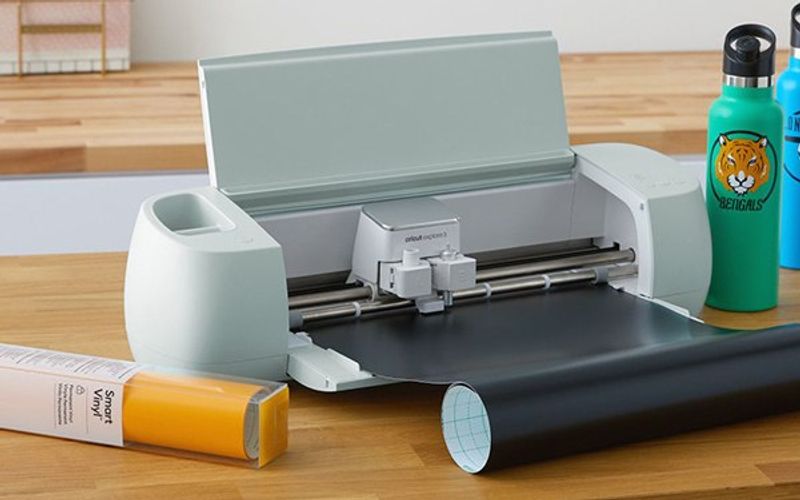
While they're a little more expensive than the generic vinyl and cardstock you buy from Cricut, there's something so freeing about cutting without the use of a cutting mat.
Also, Smart Materials are able to cut at double the speed of the 'Fast Mode' that the Explore Air 2 boasted and — even more importantly — able to cut up to a whopping 12 foot in length. That really opens up the potential of what you can make with this machine.
Things That Could Be Improved
Expensive Add-Ons
While we consider the base price of the machine to be good value for money, it's still true that you will need to spend a little more to really get the most out of the Explore 3.
After all, the Smart Materials are really what gives it an edge over the Explore Air 2, but they're a little pricey in comparison to your normal vinyl and other non-smart materials. If you're doing a lot of cutting, you can expect a fair investment just into materials alone.
Of course, you can stick with normal materials for a lower cost in this respect, but then why not just go for the Explore Air 2 machine instead?
Also, the Explore 3 is currently compatible with 6 different tools (and likely even more in years to come depending on Cricut's development), but the only one that it comes equipped with out of the box is the Fine Point Blade. Tools can be expensive so you may need to adjust your budget if you want to be doing scoring, foiling and writing, for instance.
Design Space could be Improved
Cricut's software, Design Space, is routinely criticized by crafters as not being quite up to scratch — particularly in comparison to the sometimes-superior Silhouette Studio.
The criticism isn't always fair — we'd argue that the software has improved hugely over the last couple of years and is much less glitchy than it ever used to be — but we can agree that it is a little on the basic side.
If you're a beginner, an occasional user, or simply a crafter who does less of their own designing, we think you'll be very satisfied with Design Space. But if you want a little bit more, you'll likely want to look at another program — such as Adobe Illustrator, CorelDraw and the like — and then upload your designs straight into Design Space after you've created them.
Hopefully Cricut will continue to invest in and improve their software so it becomes great for everyone.
Cricut Explore 3 vs Cricut Maker 3
One of the competitor comparisons a few people have asked us to make is between the Explore 3 and the Maker 3, which was released at the same time.
Although they look reasonably similar, they're actually quite different machines and this is reflected in the price tag -- the Maker 3 is around $100 more expensive.
Let's take a look at how they compare side-by-side:
Is the Cricut Explore 3 Worth Buying?
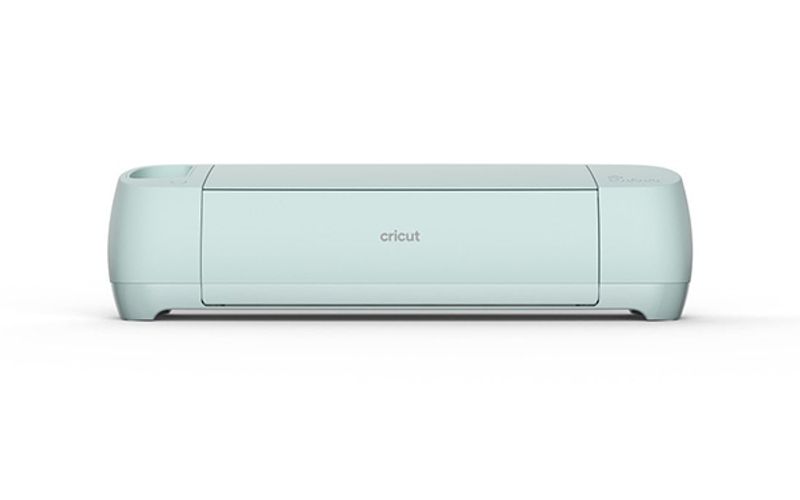
We think the Cricut Explore 3 is a fantastic machine that has wide appeal — anyone from a complete beginner to a more experienced hobbyist will be able to enjoy this cutter.
Thanks to its compatibility with Smart Materials, it's a significant upgrade on the Explore Air 2 while still occupying a great, middle market spot that will suit most crafters.
Just be prepared to spend a little more on materials and tools if you really want to get the most out of the Explore 3.
Still not sure what the best vinyl cutter for your needs is? Be sure to check out our Reviews section for detailed analysis of ALL the top-selling die cutters.
Pros & Cons
What We Love
- ✓First Explore with matless Smart Materials cutting up to 12 feet
- ✓2× faster than Explore Air 2 on Smart Materials
- ✓Handles all common craft materials
- ✓Improved Print Then Cut on colored paper
- ✓Now available at significant discounts
Watch Out For
- ✗Significantly slower on-mat cutting than Explore 4
- ✗Two generations behind, no longer sold new by Cricut
- ✗Same 400 gf cutting force limitation as all Explores
- ✗Smart Materials lock-in for matless cutting
- ✗Design Space requires internet
Our Verdict
Very Good
The Cricut Explore 3 is an ideal mid-range cutter for hobbyist crafters chasing solid performance without the Maker 3's price tag. Smart Materials support means matless cutting up to 12 feet at twice the speed of the Explore Air 2 - a genuine leap over its predecessor. It handles 100+ materials across 6 tools, covering vinyl, paper, cardstock, and bonded fabric with ease. The trade-off for that lower price is reduced power and fewer tools compared to the Maker 3, and you'll still need to invest in Smart Materials and extra tools beyond the included Fine-Point Blade.
Specifications
| Spec | Detail |
|---|---|
| Colors | Mint/Seafoam (standard) |
| Connectivity | Bluetooth + USB |
| Cutting Force | 400 gf (grams-force) |
| Dimensions | 22.17 × 7.01 × 5.91 in (56.3 × 17.8 × 15.0 cm) |
| Fabric Cutting | No |
| Material Clearance | 2.0 mm |
| Materials | 100+ |
| Max Cut Size (Mat) | 11.5 × 11.5 in (29.2 × 29.2 cm) |
| Max Cut Size (Matless) | 11.7 × 144 in (29.7 cm × 3.66 m / 12 ft) with Smart Materials |
| Max Cut Speed | Up to 8 in/s (20.3 cm/s) matless with Smart Materials; 5 in/s on-mat (est) |
| Print Then Cut | Yes |
| Smart Materials | Yes |
| Software | Cricut Design Space (free; desktop + mobile app) with optional Cricut Access subscription |
| Weight | 10.98 lbs (4.98 kg) |