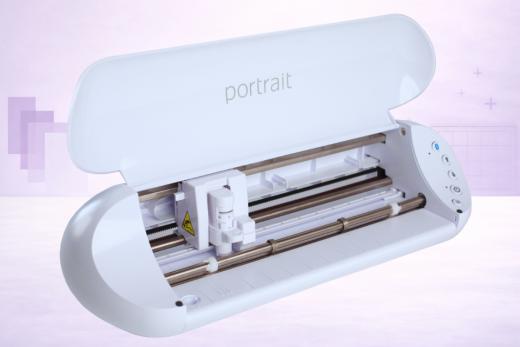
The Silhouette Portrait 3 is Silhouette America's latest cutting machine release.
Weighing in at just 3.5lbs but with some really innovative technology on board, the Portrait 3 is the smaller, cheaper sister of their flagship machine, the Cameo 4.
We've been playing with the new machine for a few weeks now and think we've got a handle on what makes it great — as well as a few things to be aware of before you buy.
In this Silhouette Portrait 3 review, we'll be addressing your most burning questions:
- Is the Portrait 3 any good?
- What can the Portrait 3 do?
- Is it worth the money?
- How does the Portrait 3 compare to Portrait 2?
- Is the Portrait 3 better than the Cricut Joy?
You'll find our answers below.
Once we've delved into the pros and cons of the machine, we'll be exploring how it compares to its predecessors (the Portrait 2 and the original Portrait) and to its main competitor — the Cricut Joy.
Let's get straight into it…
What is the Silhouette Portrait 3?
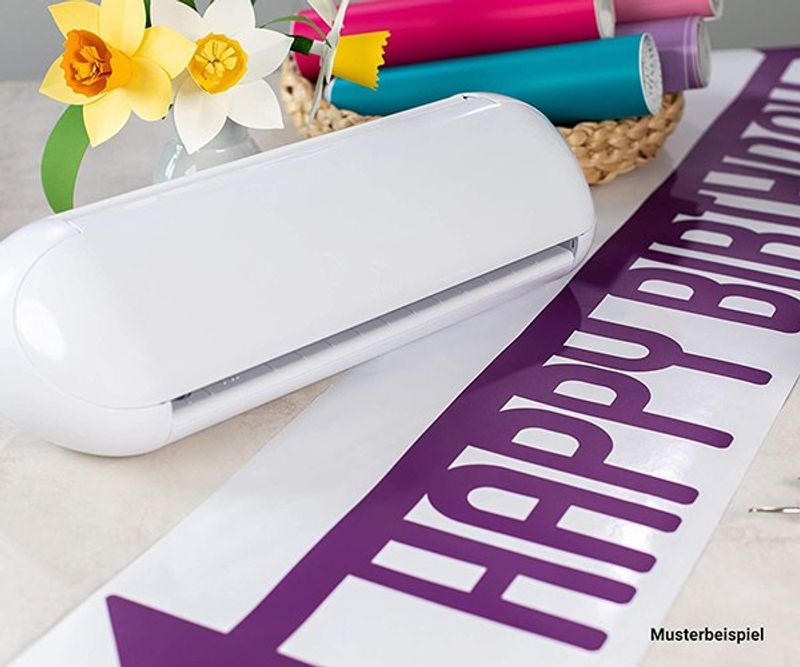
The Portrait 3 is the smallest of Silhouette's popular cutting machines.
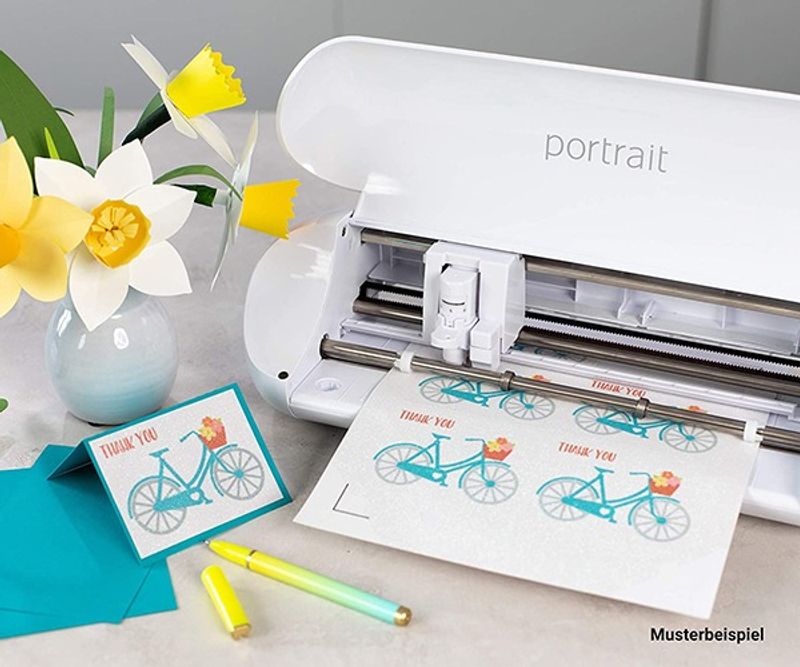
It's been designed to cut rolls of material for small projects — i.e. letter or A4 sized — and will be perfect for crafters who cut stickers and cards.
See more: 5 of the best vinyl sticker cutting machines.
It can cut material up to 8 inches wide and up to 60 feet long.
What are the Best Portrait 3 Features?
- Two options for matless cutting
- Automatic tool detection (no need to manually adjust your software settings!)
- AutoBlade (automatically calibrates the blade for you)
- Bluetooth connectivity for wireless cutting
- Can be used for Print & Cut projects
- 2mm cutting clearance for thicker materials
- Works with Silhouette Studio software and, eventually, the Silhouette Go mobile app
- PixScan compatible
What Are The Pros and Cons?
What We Love
It's a Mini Version of the Cameo 4
We know lots of people who have been wanting to try out the Silhouette Cameo 4 but have been put off for various reasons — often, it's just too big and expensive for crafters who will only use it occasionally or just for smaller projects.
If that's you, the Portrait 3 could be a great alternative.
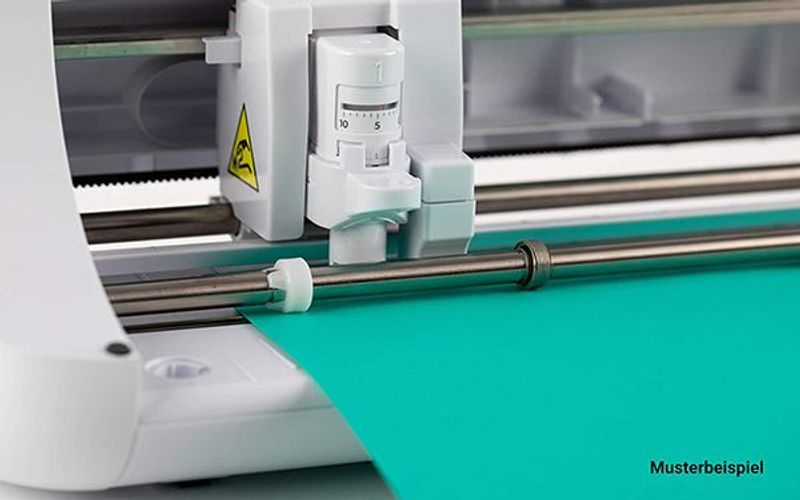
Just like the Cameo 4, the Portrait 3 is blessed with the AutoBlade and automatic tool detection which makes the cutting set-up incredibly easy. Seriously, even the least tech-savvy person will be able to get on board!
With these tools, the Portrait will automatically detect what tool you're using and adjust its settings accordingly. Likewise, the AutoBlade will calibrate itself automatically once you've selected the material you're using in Silhouette Studio.
This means more accurate and efficient cuts.
The Portrait 3 is also super versatile and able to work with a variety of different materials, much like the Cameo 4, thanks to its impressive 2mm cutting clearance. It's also compatible with Print & Cut and PixScan.
And although it doesn't have a dual tool carriage like the Cameo 4, it is able to both cut and sketch/draw depending on whether you have a blade or a pen in the carriage.
But despite all this far-reaching technology, the Portrait 3 is compact in both size and price. Its RRP is just $199.99 — vs $299.99 for the Cameo 4. That's a significant saving.
Compact and Portable
One of the best things about the Portrait 3 is just how compact it is.
It's got a very small footprint and weighs under 3.5 lbs. If you like to craft when you travel or take your cutting machine to friends' and family's houses, then this is a real advantage to the Portrait 3.
That's also a great thing for people who are working with just a small craft space who can't afford to keep a huge machine out on a craft table all day. It can very easily be placed into a cupboard when you're not using it and it's not a big deal to bring it out and set it up again.
It's also Bluetooth compatible so you'll be able to cut wirelessly as well.
Ideal for Sticker and Card Makers
Our first thought when trying out this new cutter was that it's the perfect machine for sticker making and card making.
Firstly, the size will be uniquely helpful for these smaller projects as it can cut a variety of different widths, including letter size, A4, 9-inch rolls and more. The fact that it can cut up to a whopping 60 feet long will be a huge boon to sticker makers who make large sheets.
It can easily cut specialty material like sticker sheets and tattoo paper, as well as more common materials like vinyl and cardstock.
Matless Cutting Capabilities
Matless cutting is also a reality with the Portrait 3 and it has two different cut types to choose from:
Kiss Cut
Kiss cuts are ideal for sticker making or any other material that has a backing attached. The cut will only go through the top layer of material and will leave the backing intact.
Pop-Out Cut
For materials without backing, a pop-out cut will instead use a perforated cut style that will then allow you to 'pop out' the cut shapes from the rest of the material once it's finished cutting.
Can Use Same Tools as Cameo 4
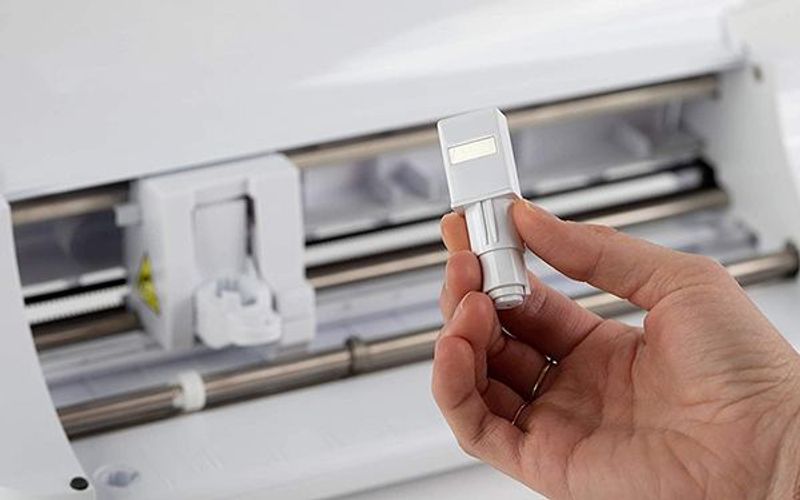
Another area that the Portrait 3 is really impressive — especially in comparison to the Cricut Joy — is that it can use most of the same tools as the Cameo 4, including advanced ones like the Kraft Blade, Deep Cut Blade, Ratchet Blade and all of the sketch pens.
Things That Could Be Improved
No Dual Carriage
The Portrait 3 is an impressive cutter given its size but we found it a little frustrating that it doesn't have the dual carriage. This means that it can only do one 'job' at a time — cutting or drawing, for instance — so would take at least double the time of the Cameo 4 to do the same project.
This might not be important to you. If you're planning to buy the Portrait 3 to make sticker sheets, for example, this won't bother you at all. But if you want a cutter that can complete a project that requires two skills — card making, for one — we'd be tempted to invest the extra $100 and go for the Cameo 4 as it has lots more capabilities besides.
We had a similar gripe with the Portrait 2, which just seemed to be a slightly worse version of the Cameo 3 but marketed at almost the same price. The Portrait 3 is definitely a superior machine and there is a bigger price gap between it and the Cameo 4, but we still wish it had been made with the dual carriage as that is such an advantage in terms of speed.
Separate Purchases Might Be Necessary
Our other little bugbear with the Portrait 3 is that you'll need to buy adaptors if you want to use the Cameo 4 tools in it (as well as the tools themselves).
This is a change from the Cameo 4 which came already equipped with the adaptors.
If you only want to use the sketch pen and the AutoBlade which come with the Portrait 3, then you won't need to buy anything else. But if you do fancy using the Deep Cut Blade or Ratchet Blade, for instance, you'll have to spend a little extra to get the suitable adaptor too.
Which Is Better: Portrait 3 Or Cricut Joy?
Lots of people will be wondering which is better when it comes to the Portrait 3 or the Cricut Joy as they are both the small, cheaper offering from Silhouette and Cricut.
In many ways, they're very similar with a lot of the same pros and cons. For many of you it will likely come down to whether you prefer working with the Silhouette Studio software or Cricut Design Space.
There are a few subtle differences to be aware of, however.
How the Portrait 3 is Better than Cricut Joy
- Can cut much bigger than the Cricut Joy — up to 8 inches wide and 60 foot long. The Cricut Joy can only do up to 4 inches wide and 4 foot long (and up to 20 feet long with repeated images)
- Silhouette Studio is, generally speaking, a better design program than Cricut Design Space
How the Cricut Joy is Better than Portrait 3
- It's a little bit cheaper — the recommended retail price of the Joy is $179.99 versus $199.99 for the Portrait 3
- It's compatible with Card Mat which is amazing for card makers as it makes it super easy to make custom cards
Silhouette Portrait 3 Review: A Worthy Upgrade?
All things considered, we would recommend the Silhouette Portrait 3 and think it's a great little machine.
It's likely to suit you if you fall into any of the following categories:
- You want a smaller, cheaper machine than the Cameo 4 but with similar functionality and precision
- You usually work on small projects like sticker making and card making
- You use PixScan and Print and Cut features
- You like the idea of matless cutting
- You want a slightly bigger machine than the Cricut Joy
Still not sure what the best vinyl cutter for your needs is? Be sure to check out our Reviews section for detailed analysis of ALL the top-selling die cutters.
Pros & Cons
What We Love
- ✓Very compact and lightweight
- ✓Affordable entry to Silhouette ecosystem
- ✓Uses same software as Cameo line
- ✓Good for stickers and small vinyl projects
Watch Out For
- ✗Limited 8 in. cutting width
- ✗Less cutting force than Cameo models
- ✗Not suitable for thicker materials
Our Verdict
Very Good
The Silhouette Portrait 3 is a compact, capable cutter that punches well above its weight. With AutoBlade, automatic tool detection, and Bluetooth built in, it borrows the best technology from the flagship Cameo 4 and packs it into a machine that weighs just 3.5 lbs and costs $100 less (at current rates). It's an excellent choice for sticker makers, card crafters, and anyone working in a small space - matless cutting and support for materials up to 60 feet long are genuine standouts at this price point. The lack of a dual carriage is the main trade-off: multi-step projects take longer, and you'll need to buy separate adaptors for advanced blades.
Specifications
| Spec | Detail |
|---|---|
| Colors | White only |
| Connectivity | Bluetooth (pre-installed; requires BT 4.0 on host) + USB |
| Cutting Force | 210 gf (grams-force) |
| Dimensions | 16.2 × 5.5 × 4.4 in. (41.1 × 14 × 11.2 cm) |
| Fabric Cutting | No |
| Material Clearance | 2 mm (78.8 mil) |
| Materials | 100+ |
| Max Cut Size (Mat) | 8 in. × 12 in. (20.3 × 30.5 cm) |
| Max Cut Size (Matless) | 8 in. × 10 ft. standard; up to 60 ft. with Roll Feeder |
| Max Cut Speed | 10 in/s (est) |
| Print Then Cut | Yes |
| Smart Materials | No |
| Software | Silhouette Studio (free basic edition), Silhouette Go (mobile), Silhouette Connect (Adobe Illustrator/CorelDRAW plugin) |
| Weight | 3.5 lbs / 1.6 kg |